This macro is designed to automate the process of crafting supplements on the IDP server (Indonesia Pride / Indonesia Roleplay) in the game FiveM (GTA V). The script is configured for the interface for creating medical supplements/supplements for users with a screen resolution of 1920 x 1080. Key Features:Full automation of crafting: The macro takes over the entire cycle of working with the interface by clicking on an object, and then moving the cursor to click the «Racik» (Create) button. Precise coordinates for 1920 x 1080: Mouse movements are optimized to move along coordinates (1021, 539) and (1211, 806), which perfectly matches the location of the menu items for crafting supplements on a Full HD screen. The perfect timing of the progress bar: The built-in delay of 6250 ms (6.25 seconds) is precisely synchronized with the server animation of preparation of supplements, preventing failures before the start of a new cycle. Cyclic Repeat mode: The repeat parameter is set to infinite loop mode (RepeatType 2), which allows the macro to recycle resources in AFK mode without stopping until you turn it off. Technical specifications and requirements:Game/Platform: FiveM (GTA V).Screen resolution: Required to be 1920 x 1080 (in the game and on Windows) for the cursor to hover correctly. Screen mode: It is recommended to use a «Windowless Borderless» for maximum click stability.Key Settings (Important): Open the FiveM (Settings) settings, find the «Target» item and set the key binding for it to «/» (slash). This is necessary for the macro trigger to be triggered correctly.With this macro, you can fully automate the monotonous crafting of supplements on the IDP server, saving your time and greatly simplifying the grinding process.
 Loading..
Download the program (Download) and go to the macro editor
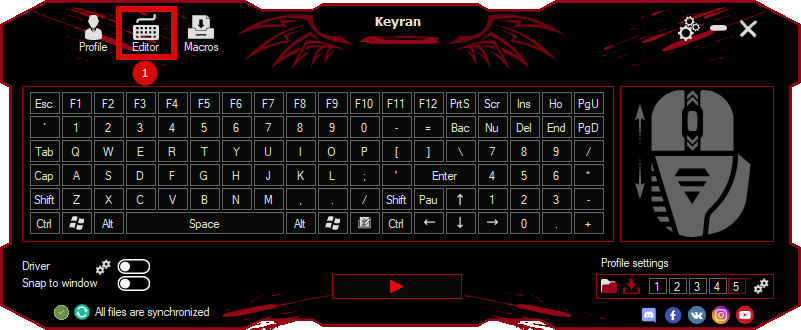
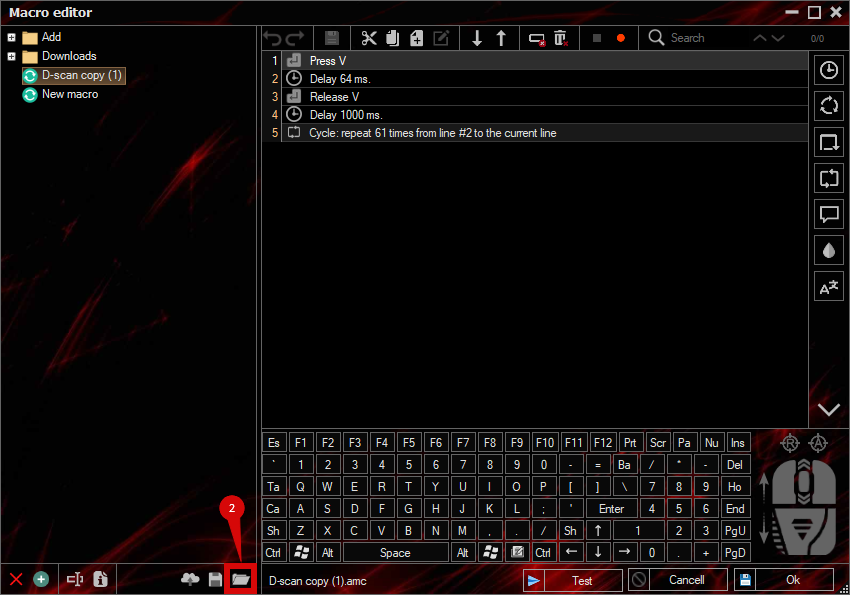
press the button «Open file»
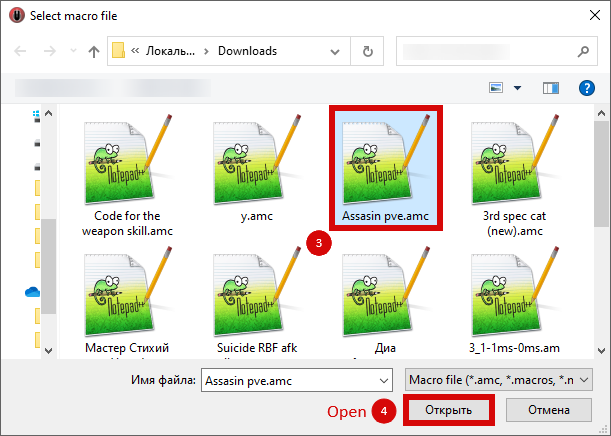
and select the downloaded file
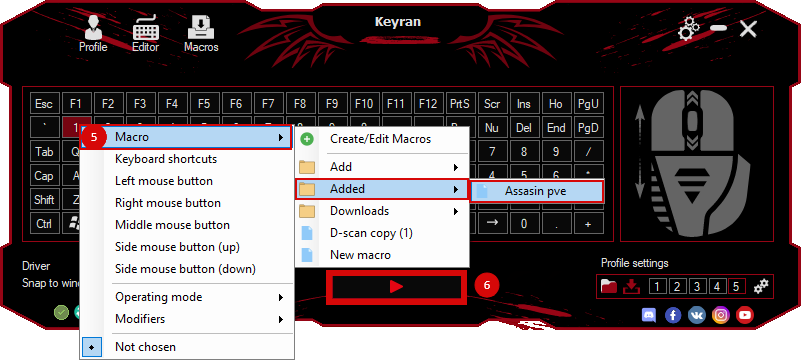
assign a macro to a key and run the program
 Video reviews
 Window work
 Create hotkeys
 Macro editor
 A4tech Macro Editor
 Script editor
 Ready macros and scripts
 Profile
 Sync log
 Program settings
 FAQ
 Apex Legends
 ArcheAge
 Blade and Soul
 Dota 2
 Fortnite
 GTA V
 Minecraft
 Overwatch
 Perfect World
 Rust
 Warface
 News
 Instructions
 Events and competitions
 Technical support