Another macro for automating the work of a monorail driver in case something went wrong and you need to «get» to the Depot.
A series of macros is called «Arrivals to the Depot».
It happens that:
Admins, friezes, have written to you, the game has collapsed, you have pressed some button or a «Network Trouble» has happened and you realize that the main macro is now incorrectly controlling the train.
Actions in this case:
1. Stop the execution of the main macro
2. In manual mode, drive to the next station and stop the train as close as possible to the column «Stop of the first car».(it is enough that the nose of the first car is between this column and the beginning of the peron).
3. Open the doors and hear the name of the station.
4. Collapse the game and assign the necessary macro from the series «Arrivals to the Depot» to a convenient key for you, for example: «Arrivals to the Depot Clockwise 1_ozernaya - Depot» («1» or «2» before the name of the station corresponds to the circle from which the arrival begins: the first or second, respectively).
5. Expand the game and run the newly assigned macro. He will close the doors himself and continue working until the end of the route to the depot.

Usage Notes:
1. It is recommended to run the macro with minimal graphics settings with a resolution of 1366x768x32.
2. The macro provides random pauses before opening, closing doors and before starting to move for more realistic work.
3. Long delays at stations allow you to avoid (but do not guarantee) skipping stations with a poor connection to the server.
4. When you start the macro, it will travel the rest of the way to the Depot and will automatically end. After that, you can get a driver again and re-run the macro.

Important notes:
1. The use of this macro is entirely at your risk. Remember that the game administrators monitor this kind of automation and can take appropriate measures.
2. It is recommended not to leave the computer for a long time when the macro is running.

This macro is able to move almost perfectly between the columns and stop at the «stop of the first car». Thus, it greatly facilitates your task when controlling the monorail in the game. Over time, other macros will be provided for trips to the Depot of the monorail.
 Loading..
Download the program (Download) and go to the macro editor
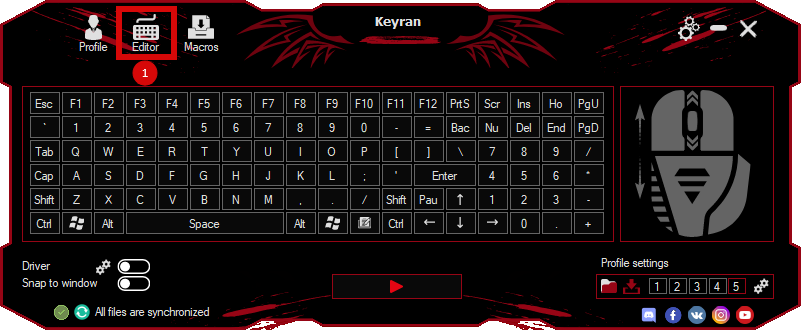
press the button «Open file»
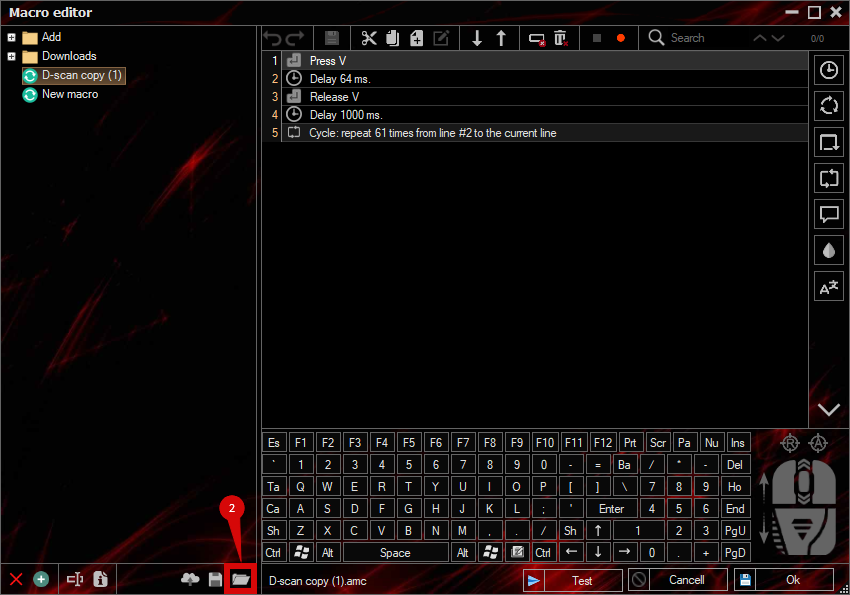
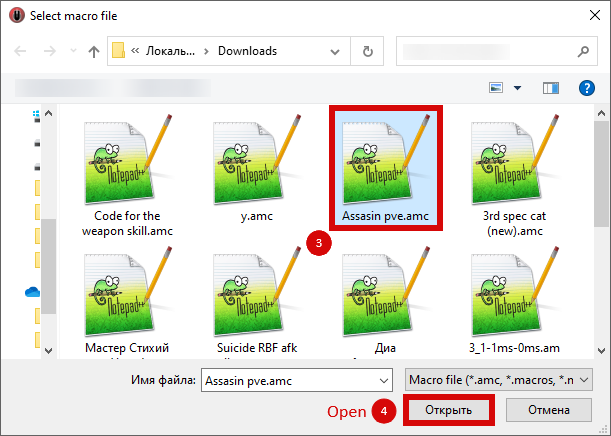
and select the downloaded file
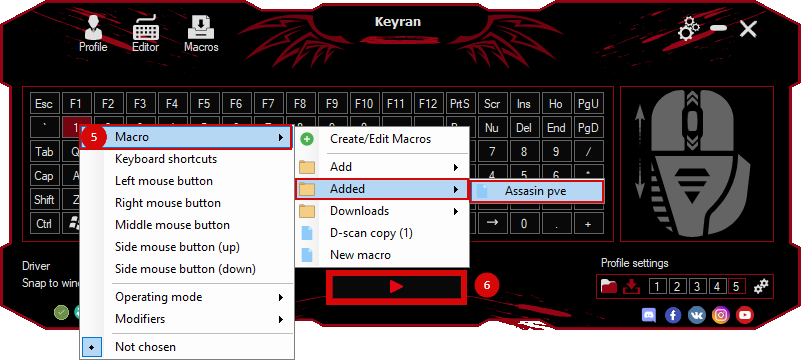
assign a macro to a key and run the program
 Video reviews
 Window work
 Create hotkeys
 Macro editor
 A4tech Macro Editor
 Script editor
 Ready macros and scripts
 Profile
 Sync log
 Program settings
 FAQ
FAQ Apex Legends
 ArcheAge
 Blade and Soul
 Dota 2
 Fortnite
 GTA V
GTA V Minecraft
 Overwatch
 Perfect World
 Rust
Rust Warface
 News
News Instructions
 Events and competitions
 Technical support