What does a macro do?:
Tired of moving the mouse and switching all this stuff?
Press 1 button and that's it!  Ready! You don't even have to use the mouse!
Presses the edit button in the «sales order» menu, presses the first slot

Settings in the program:
1. The «Window» section
1.1. Works without binding to the window
  1.2. It is not necessary to use the driver
  1.3. Screen resolution 1980x1080
2. Program settings section
  2.1. Start incognito mode «ON» (REQUIRED!)
2.2. Use the minimum delay when pressing keys in macros «ON»
2.3. Respond only to physical clicks on the keyboard and mouse «ON»
2.4. Block keystrokes of modifiers «ON»
2.5. Bind to any button (It is recommended not to repeat the keys of the game)
  2.6. Select the operation mode «While the key is pressed»
2.7. «Operation mode» can be selected by pressing the LMB on the virtual key in the application
 Loading..
Download the program (Download) and go to the macro editor
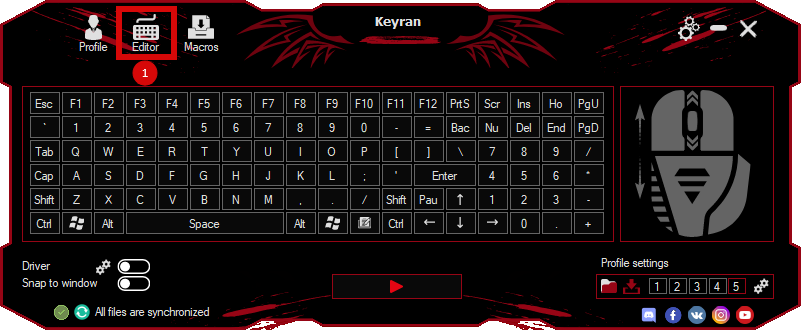
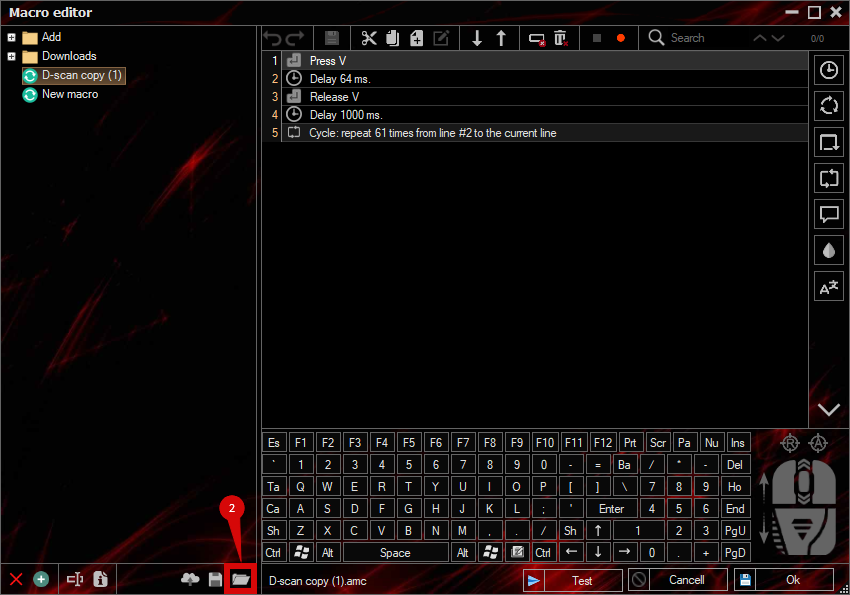
press the button «Open file»
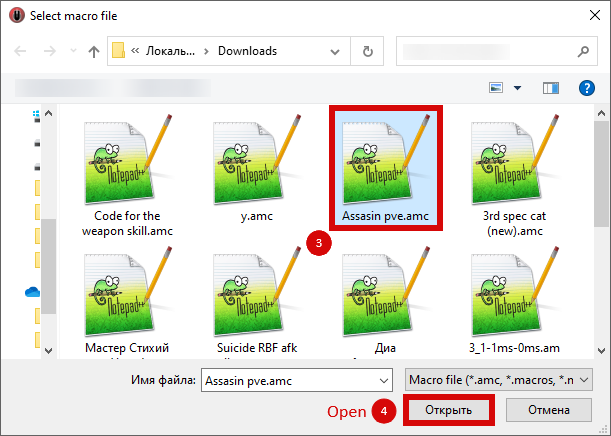
and select the downloaded file
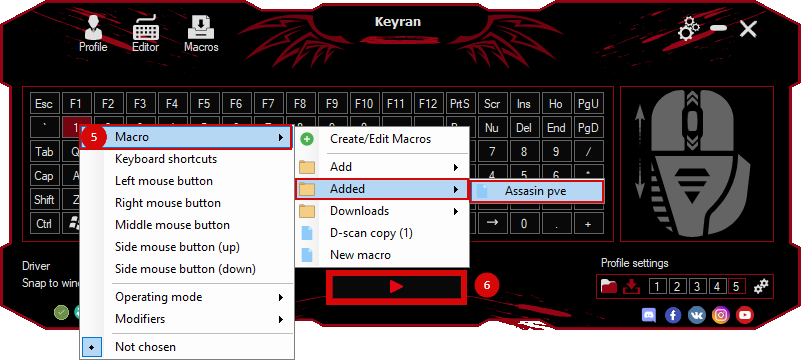
assign a macro to a key and run the program
 Video reviews
 Window work
 Create hotkeys
 Macro editor
 A4tech Macro Editor
 Script editor
 Ready macros and scripts
 Profile
 Sync log
 Program settings
 FAQ
FAQ Apex Legends
 ArcheAge
 Blade and Soul
 Dota 2
 Fortnite
 GTA V
GTA V Minecraft
 Overwatch
 Perfect World
 Rust
Rust Warface
 News
News Instructions
 Events and competitions
 Technical support