I haven't seen macros on the FSO for a long time, and they are outdated, so I decided to make my own.
The macro will appeal to lovers of aesthetics.
With the new headlight system, it was hard to make this macro, but I managed.
There is no criterion for resolution and FPS in the prinitp, the more the better.
P.S Because of the new headlight system, there may be errors (there were none during the check, but I'm not sure that they won't be at all) if they are, then I will release a naked macro.
 Loading..
Download the program (Download) and go to the macro editor
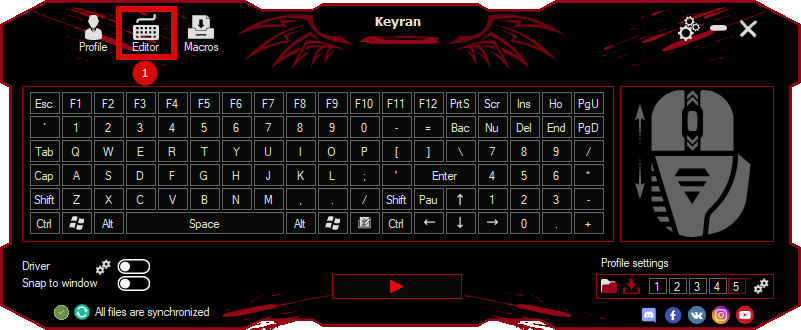
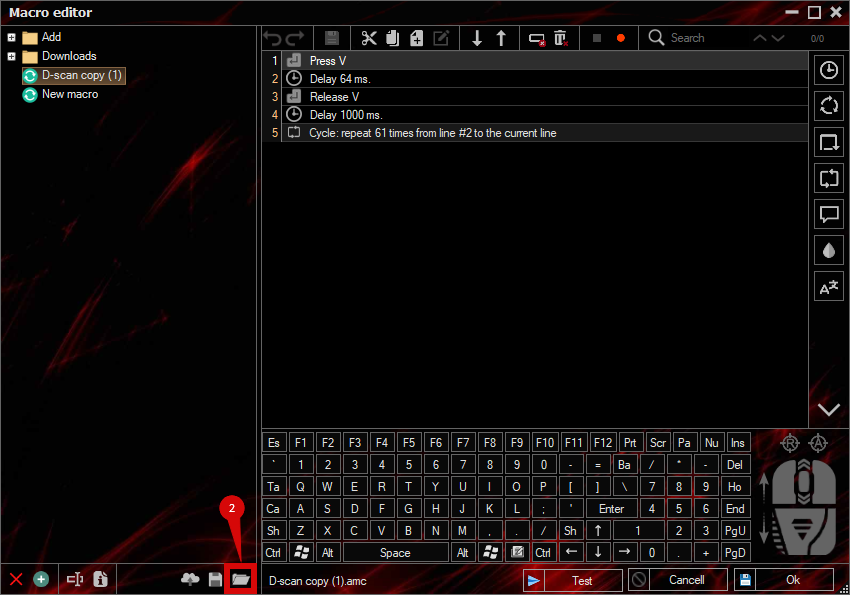
press the button «Open file»
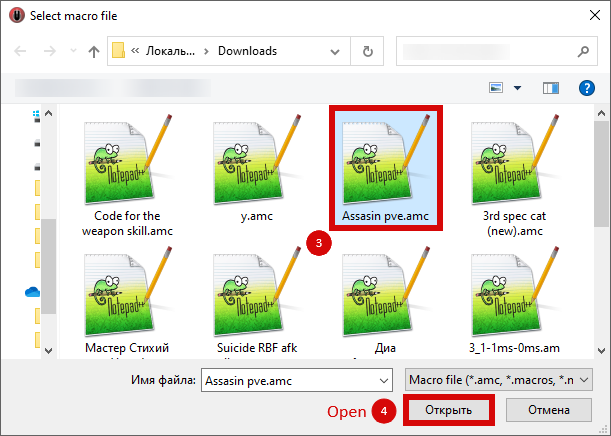
and select the downloaded file
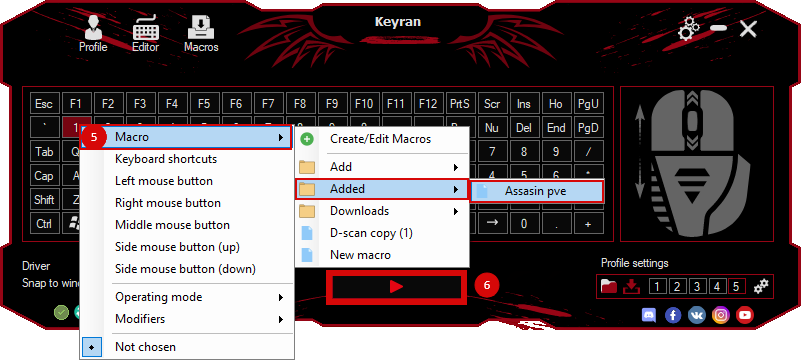
assign a macro to a key and run the program
 Video reviews
 Window work
 Create hotkeys
 Macro editor
 A4tech Macro Editor
 Script editor
 Ready macros and scripts
 Profile
 Sync log
 Program settings
 FAQ
 Apex Legends
 ArcheAge
 Blade and Soul
 Dota 2
 Fortnite
 GTA V
 Minecraft
 Overwatch
 Perfect World
 Rust
 Warface
 News
 Instructions
 Events and competitions
 Technical support