Bot on the Nevsky metro blue line.

Instructions on how to get a job:
To start, you need to get a job, you can do this by clicking M --> Navigation - - - > Choose a city - - - > Work - - - > and choose a metrodepo - - - > put a label - - - > come and get a job. Then come to the Nevsky railway station and there will be a metro station nearby, we go into it and there will be a point to work on the right (Blue branch).

Features:
The bot starts its journey at the end of the first station under the time table, WHICH does NOT HAVE A LABEL.
The bot was recorded at a steady 59 60 fps, if you have less fps, you may have problems stopping at the station.
He goes by himself, you don't need to do anything, he turns on the lights in the cabin and the headlights.

You are required to do the following:
1) the MOST IMPORTANT THING IS TO START AT THE STATION NEXT TO NEVSKY STATION AT THE END OF THE FIRST STATION UNDER THE TIME TABLE, WHICH DOES NOT HAVE A LABEL.
2) You need to monitor the chat (admins can write if you don't answer them, they can ban you).
3)you can earn 100k per hour(here you need to take into account what lvl you have) .
4) the bot passes 4 flights (without penalties, this is 35k for me).
5) it is better not to press the buttons during the trip.

From the cons:
1) what you need to monitor the chat.
2) fines for traffic lights.

And so I use a great bot myself every day (except weekends).
 Loading..
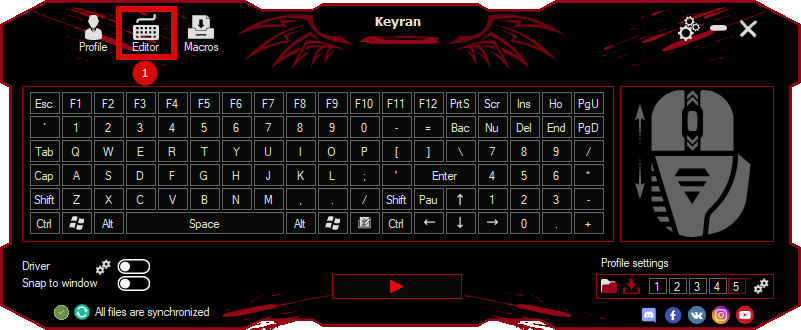
Download the program (Download) and go to the macro editor
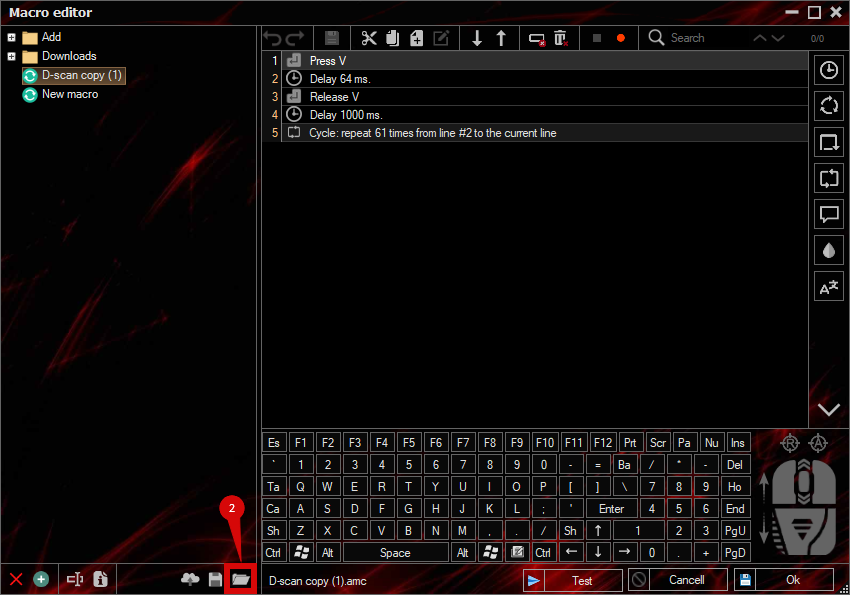
press the button «Open file»
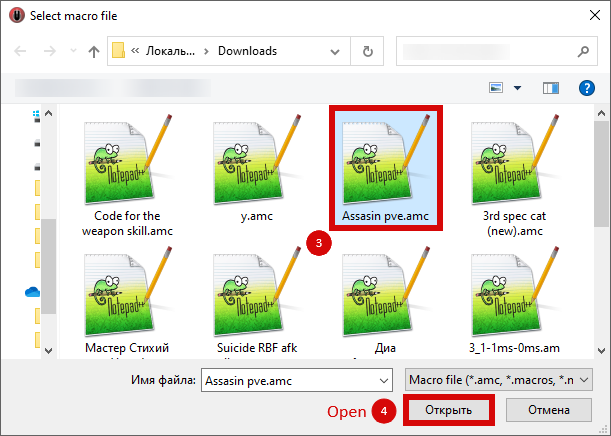
and select the downloaded file
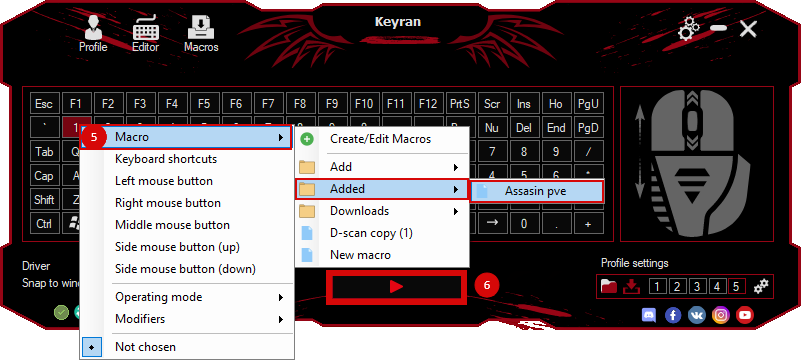
assign a macro to a key and run the program
 Video reviews
 Window work
 Create hotkeys
 Macro editor
 A4tech Macro Editor
 Script editor
 Ready macros and scripts
 Profile
 Sync log
 Program settings
 FAQ
 Apex Legends
 ArcheAge
 Blade and Soul
 Dota 2
 Fortnite
 GTA V
 Minecraft
 Overwatch
 Perfect World
 Rust
 Warface
 News
 Instructions
 Events and competitions
 Technical support