A new macro for automating the work of a monorail driver in the MTA Province game, counterclockwise movement.

Usage Notes:
1. It is recommended to run the macro with minimal graphics settings with a resolution of 1366x768x32.
2. The macro provides randomized pauses before opening, closing doors and before starting to move for more realistic work.
3. Long delays at the stations allow you to avoid missing stations with a poor connection to the server. And also cause less suspicion of the server administration.
4. When you start the macro, it will drive two full laps and automatically end. After that, you can get a job as a driver again or get in line and re-run the macro.

Important notes:
1. The use of this macro is entirely at your risk. Remember that the administrators of the game monitor this kind of automation and can take appropriate measures.
2. It is recommended not to leave the computer for a long time when the macro is running.

The macro is designed to automate the work of a monorail driver in the MTA Province game. This macro is able to move almost perfectly between stations and stop in front of the columns «stop of the first car». Thus, it greatly facilitates your task when controlling the monorail in the game. Please note that a second macro will also be provided for working as a clockwise monorail driver (corrected).


P.S. BE SURE TO CHECK WHETHER THE WHOLE TRAIN (6 CARS) IS ASLEEP OR A COUPLE OF CARS AT THE START. It happens that not all cars are in the train, but only the first two, then the macro does not work correctly. If this happens, stop the macro execution. Stop the train OUTSIDE the depot!!! and get out of it (throw it on the job marker) after that, get settled again. This happens from time to time, the macro itself has nothing to do with it, as far as I understand. It's the developers' mistakes. I plan to record a separate macro for such a case, so that I don't have to get settled again, because there may be players in the queue and I will have to wait until they pass their two laps (about 15 minutes).
 Loading..
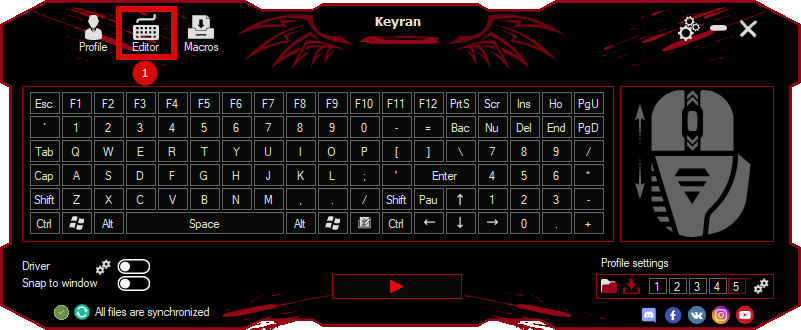
Download the program (Download) and go to the macro editor
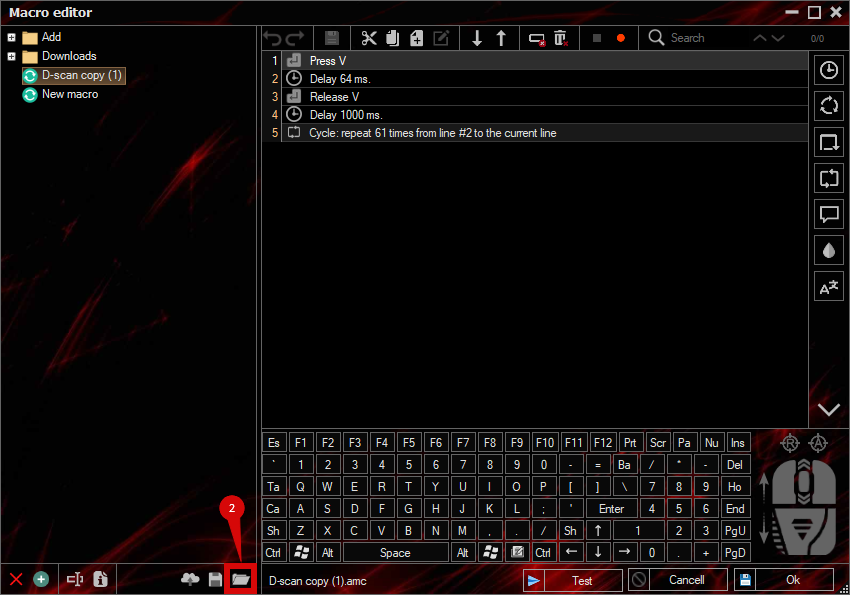
press the button «Open file»
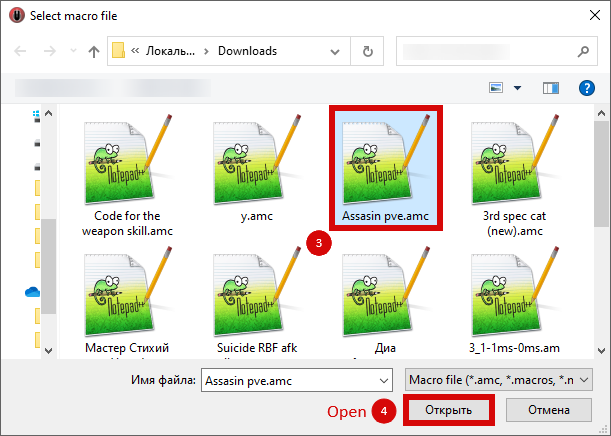
and select the downloaded file
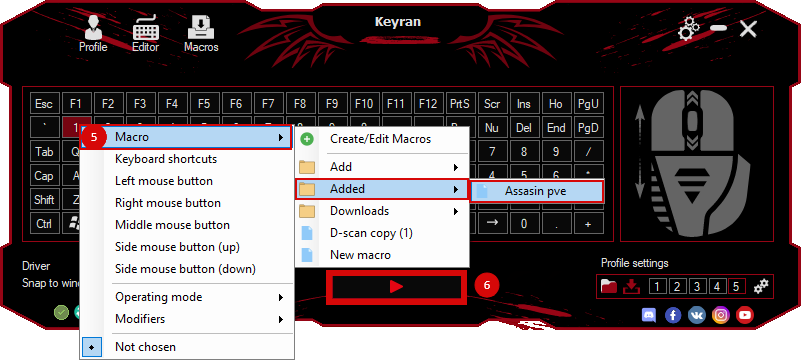
assign a macro to a key and run the program
 Video reviews
 Window work
 Create hotkeys
 Macro editor
 A4tech Macro Editor
 Script editor
 Ready macros and scripts
 Profile
 Sync log
 Program settings
 FAQ
 Apex Legends
 ArcheAge
 Blade and Soul
 Dota 2
 Fortnite
 GTA V
 Minecraft
 Overwatch
 Perfect World
 Rust
 Warface
 News
 Instructions
 Events and competitions
 Technical support