This macro is designed to automate pressing the emotion key in the 6th slot. It simulates the sequence of opening the selection wheel and pressing the desired position in the shortest possible time.

The goal: To quickly use your favorite emotion without having to manually select it from the menu.

Advantages: Improves the gaming experience by allowing you to instantly react to game situations. It does not affect the character's movement speed or physics.
 Loading..
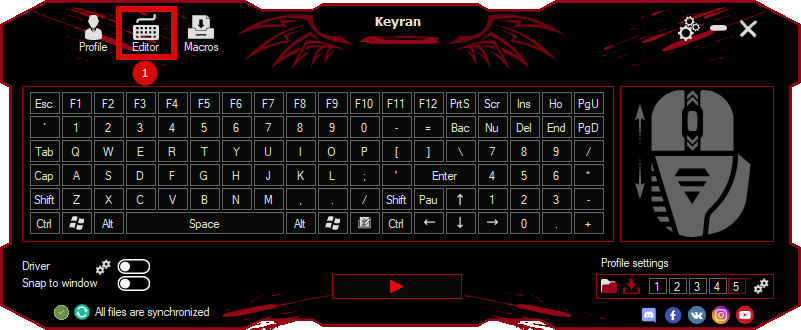
Download the program (Download) and go to the macro editor
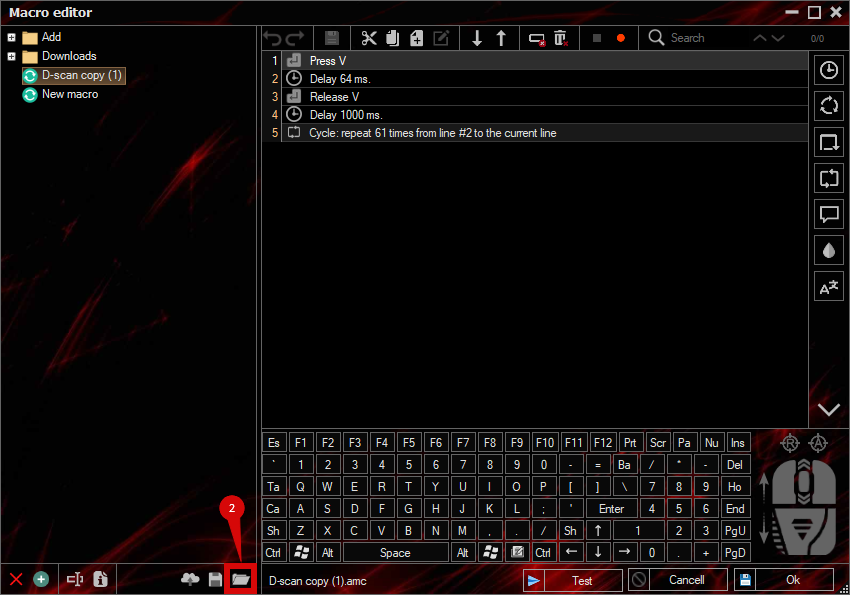
press the button «Open file»
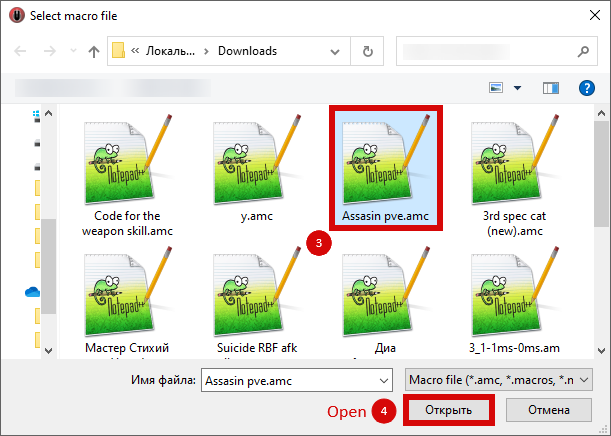
and select the downloaded file
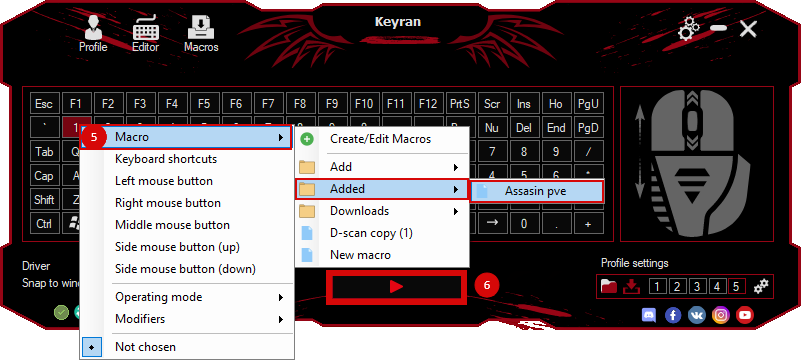
assign a macro to a key and run the program
 Video reviews
 Window work
 Create hotkeys
 Macro editor
 A4tech Macro Editor
 Script editor
 Ready macros and scripts
 Profile
 Sync log
 Program settings
 FAQ
 Apex Legends
 ArcheAge
 Blade and Soul
 Dota 2
 Fortnite
 GTA V
 Minecraft
 Overwatch
 Perfect World
 Rust
 Warface
 News
 Instructions
 Events and competitions
 Technical support