Macro for auto-fishing of the 2nd route (Tram, Privolzhsk)

! Basic description !

 This is a simple but extremely useful macro for automatically taking the 2nd tramway in Privolzhsk. Due to the high competition, it can be difficult to catch this route manually - in a hurry, it's easy to miss the right button. The macro completely solves this problem: it instantly selects the 2nd route and starts the flight. All you have to do is open the route selection menu, and the script will do the rest for you!

! How to use (Instructions) !

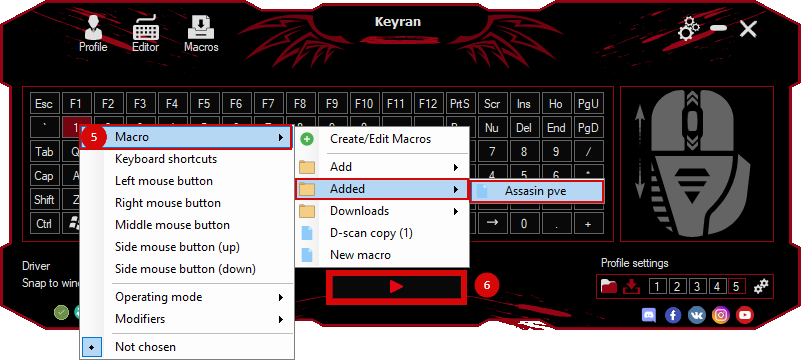
1. Assign (bind) the macro to any key convenient for you.
2. Go to the «Tram driver» marker. A window will appear on the screen with the «Close» and «Work» buttons.
3. Hover the cursor exactly on the «Work» button and click the left mouse button (LMB). Important: after that, try not to move the mouse!
4. Look at the list of routes: If there are places on the 2nd path: just press the macro button and it will automatically pick up the route. If the 2nd path is completely occupied: press ESC, take a couple of steps away from the marker and approach again. Since the cursor is already at the place where the «Work» button should be, you simply click on the LMB and check the availability of seats again.
5. Repeat this cycle until the route is free.

! Game requirements and settings!

 In order for the macro to work out clicks exactly on target, your game settings must strictly comply with the following parameters: In-game resolution: 1920x1080x32 (the macro was tested on a Full HD monitor). Screen mode: «Window without borders» (full-screen mode). Aspect ratio: 16:9. Interface: The «Adapt interface to the aspect ratio» checkbox must be enabled. Frame rate (FPS): The script is designed for a stable 60 FPS, but it copes with its task even at drawdowns up to ~45 FPS.
 Loading..
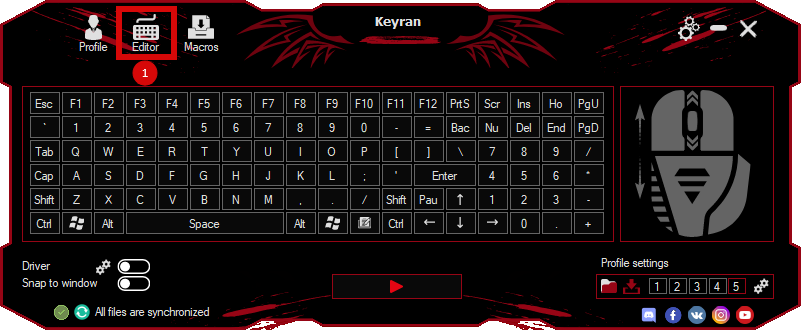
Download the program (Download) and go to the macro editor
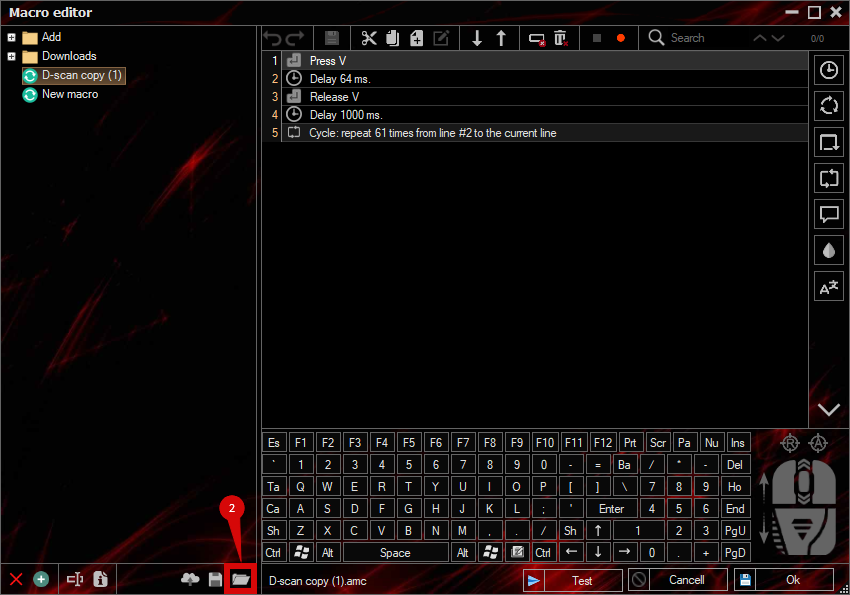
press the button «Open file»
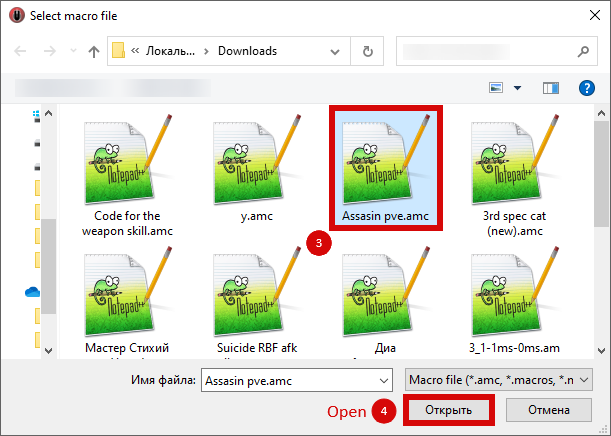
and select the downloaded file
assign a macro to a key and run the program
 Video reviews
 Window work
 Create hotkeys
 Macro editor
 A4tech Macro Editor
 Script editor
 Ready macros and scripts
 Profile
 Sync log
 Program settings
 FAQ
FAQ Apex Legends
 ArcheAge
 Blade and Soul
 Dota 2
 Fortnite
 GTA V
GTA V Minecraft
 Overwatch
 Perfect World
 Rust
Rust Warface
 News
News Instructions
 Events and competitions
 Technical support