YOU OPEN THE MARKET, CHOOSE WHAT YOU WANT TO BUY, AND TURN ON THE MACRO
The program settings for working with macros are as follows:

1. In the «Window» section:
1.1. Operation without binding to the window - the macro will work independently of the active window.
   1.2. Optional use of the driver.
   1.3. The screen resolution should be 1980x1080p.

2. In the «Program Settings» section:
2.1. Incognito mode is enabled - this is mandatory for the macro to work.
   2.2. The minimum delay when pressing keys in macros is to make the macro run as quickly as possible.
   2.3. Responding only to physical keystrokes on the keyboard and mouse - to prevent false alarms.
   2.4. Blocking keystrokes - to avoid problems with keyboard shortcuts.
   2.5. The macro should be assigned to any available button, which is recommended not to repeat with the game keys.
 Loading..
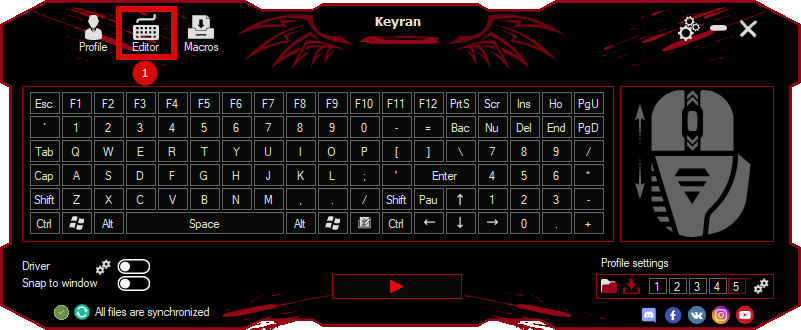
Download the program (Download) and go to the macro editor
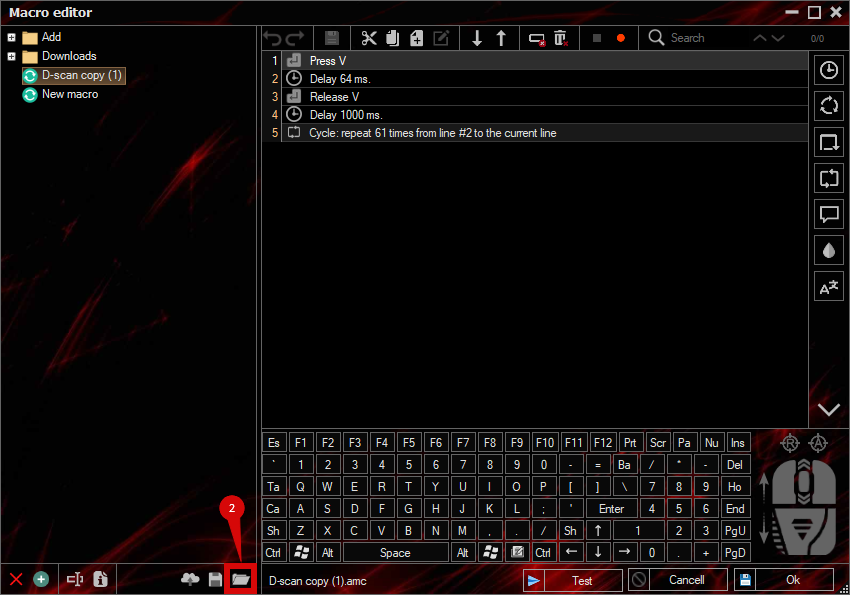
press the button «Open file»
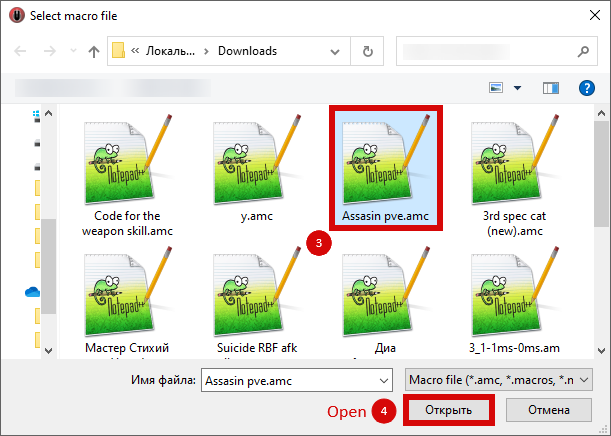
and select the downloaded file
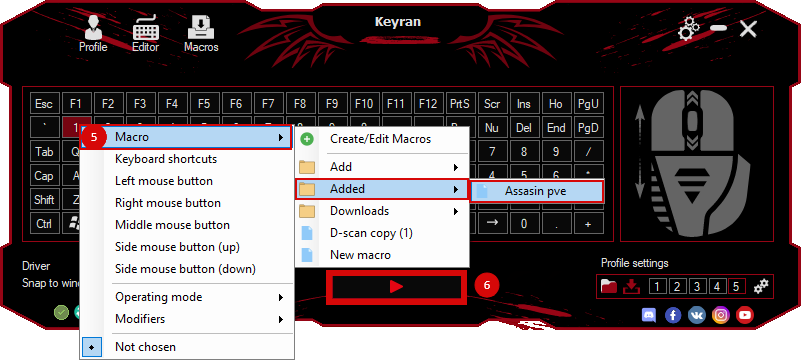
assign a macro to a key and run the program
 Video reviews
 Window work
 Create hotkeys
 Macro editor
 A4tech Macro Editor
 Script editor
 Ready macros and scripts
 Profile
 Sync log
 Program settings
 FAQ
 Apex Legends
 ArcheAge
 Blade and Soul
 Dota 2
 Fortnite
 GTA V
 Minecraft
 Overwatch
 Perfect World
 Rust
 Warface
 News
 Instructions
 Events and competitions
 Technical support