I recommend putting a modification on the weapon to reduce the spread or precision rifling of the barrel for laser shooting, as they reduce accidental horizontal deflection of bullets to a minimum and allow you to perfectly extinguish vertical recoil.

For the macro to work correctly, you need to set the screen resolution to 1920x1080 and the in-game mouse sensitivity to 20. In the Windows mouse settings, it is recommended to use the standard pointer speed of 6 out of 11 and make sure to disable the increased accuracy of the pointer setting in order to remove system acceleration.


In the mouse program itself, you should set the macro operation mode while the key or button is pressed. This mode is the safest and most ergonomic, as compensation stops instantly when the button is released, which does not break the game timings and allows you to quickly change positions.

If the sight goes down during automatic shooting, slightly lower the sensitivity in the game, and if the sight continues to go up, slightly increase it.
 Loading..
Download the program (Download) and go to the macro editor
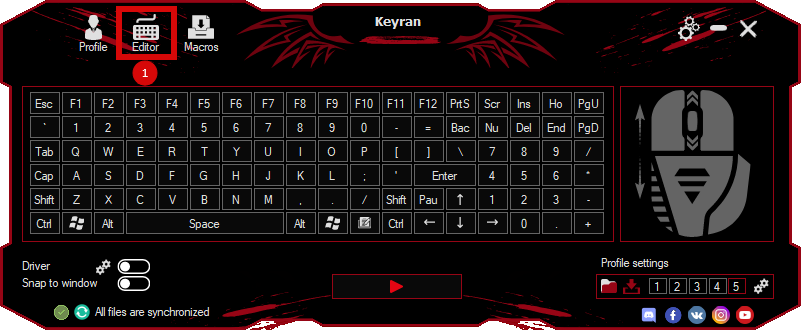
press the button «Open file»
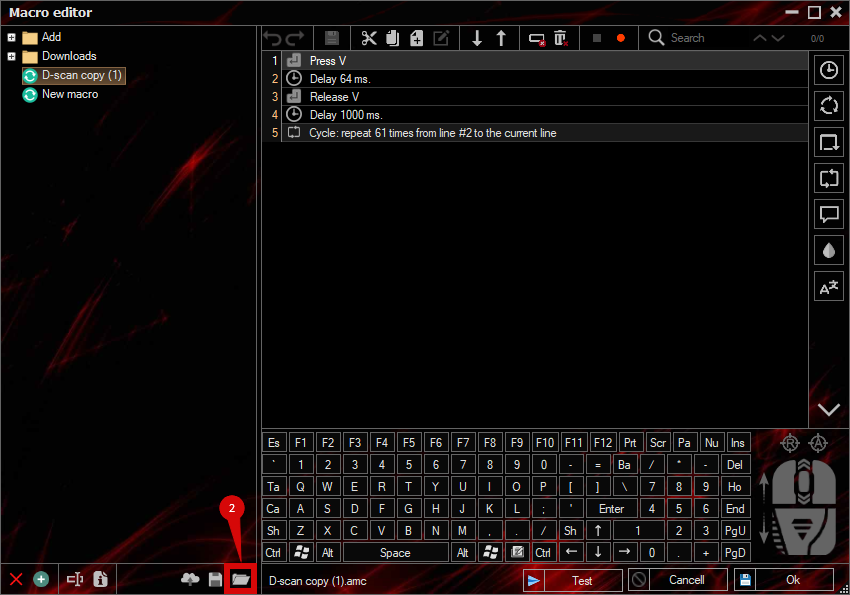
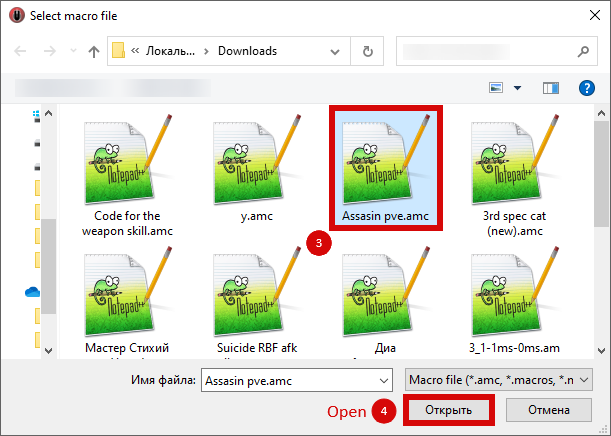
and select the downloaded file
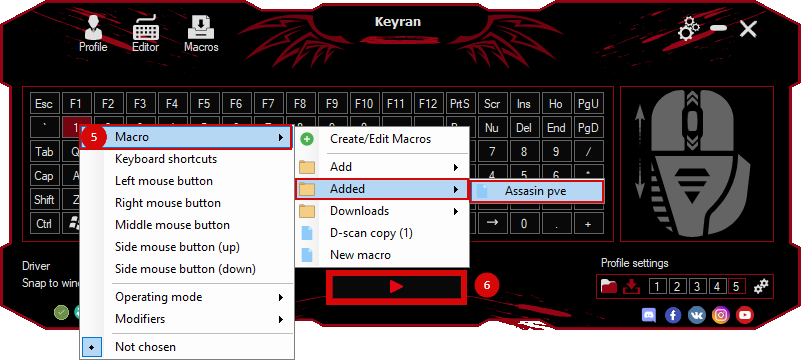
assign a macro to a key and run the program
 Video reviews
 Window work
 Create hotkeys
 Macro editor
 A4tech Macro Editor
 Script editor
 Ready macros and scripts
 Profile
 Sync log
 Program settings
 FAQ
FAQ Apex Legends
 ArcheAge
 Blade and Soul
 Dota 2
 Fortnite
 GTA V
GTA V Minecraft
 Overwatch
 Perfect World
 Rust
Rust Warface
 News
News Instructions
 Events and competitions
 Technical support