This macro is designed to automate the process of crafting clothes (Pakaian) from fabric (Kain) at the Tailor Job on the IDP server (Indonesia Pride / Indonesia Roleplay) in the game FiveM (GTA V). The script is configured for a game interface for creating finished products for users with a screen resolution of 1920 x 1080. Key Features:Full automation of clothing crafting: The macro fully reproduces the work cycle, emulating keystrokes and mouse movements to turn fabric into ready-made clothes without your manual intervention. Precise coordinates for 1920 x 1080: Mouse movements are optimized for the Portnoy menu interface (including movements to points 1018x539 and 1188x542), which perfectly matches the Full HD layout of the elements. Built-in Anti-AFK and timings: The final delay of 6850 ms is precisely synchronized with the server progress bar of the sewing animation, protecting your character from being disconnected from the server for inactivity. Cyclic Repeat Mode: The repeat option is set to infinite loop mode (RepeatType 2), allowing you to effectively farm money or profession points while you are away from your computer. Technical specifications and requirements:Game/Platform: FiveM (GTA V). Screen resolution: Be sure to set 1920 x 1080 in the game and Windows so that the click coordinates do not shift. Screen mode: It is recommended to use «Windowless Borderless» or «Fullscreen». Key Settings (Important): Open the FiveM (Settings) settings, find the «Target» item and set the key binding for it to «/» (slash). This is necessary for the macro trigger to be triggered correctly and for the tailor's interaction menu to be called up.
 Loading..
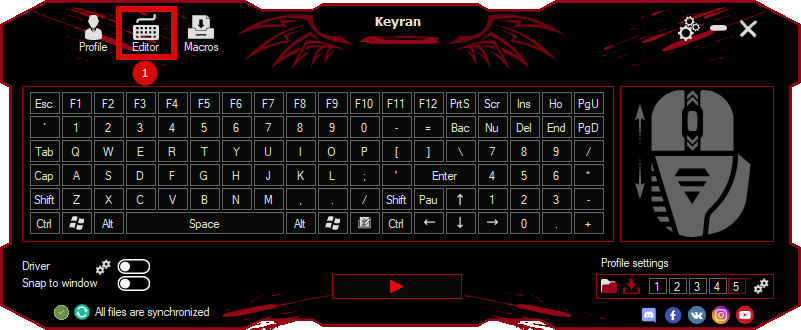
Download the program (Download) and go to the macro editor
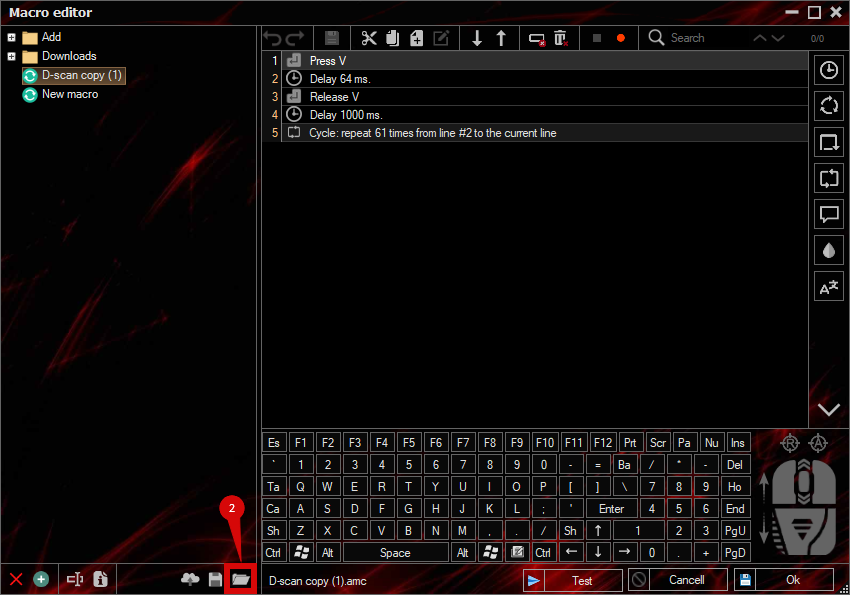
press the button «Open file»
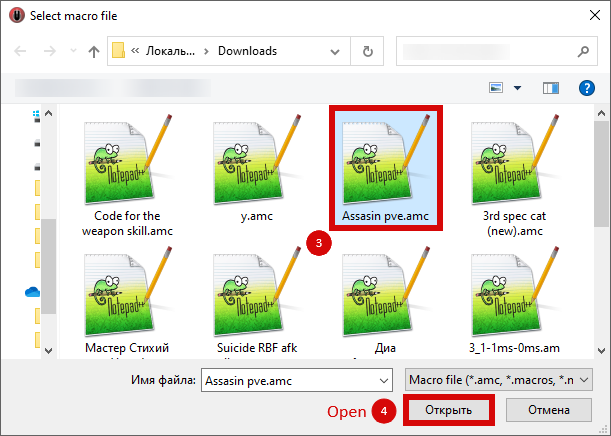
and select the downloaded file
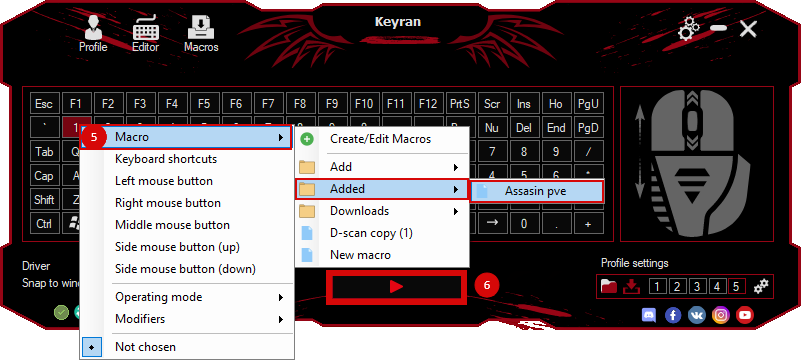
assign a macro to a key and run the program
 Video reviews
 Window work
 Create hotkeys
 Macro editor
 A4tech Macro Editor
 Script editor
 Ready macros and scripts
 Profile
 Sync log
 Program settings
 FAQ
 Apex Legends
 ArcheAge
 Blade and Soul
 Dota 2
 Fortnite
 GTA V
 Minecraft
 Overwatch
 Perfect World
 Rust
 Warface
 News
 Instructions
 Events and competitions
 Technical support