Before starting the raid, wait for 5 seconds left on the timer, and then activate the macro. You will need three characters: Giorno (Requiem), King of Heroes (Heavenly Sword) and Idol (Pop-Star!). Arrange them into slots: Idol by 6, Giorno by 5, and King of Heroes by 4. It is recommended that the characters have an avatar. For the macro to work correctly, it is necessary to move the camera away from the place of appearance
The settings include a sensitivity of 0.52 and a resolution of 1920 x 1080. Following these recommendations, you can significantly increase the likelihood of a successful raid. If you have any questions or difficulties, do not hesitate to contact me at Discord: pooopka202.
 Loading..
Download the program (Download) and go to the macro editor
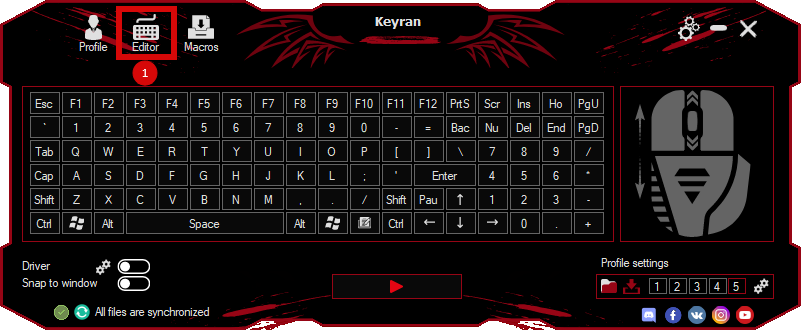
press the button «Open file»
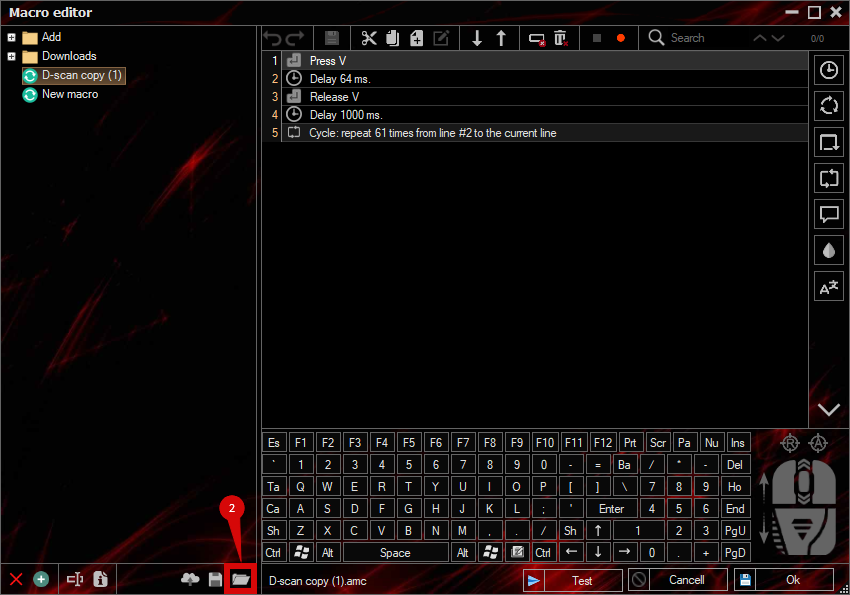
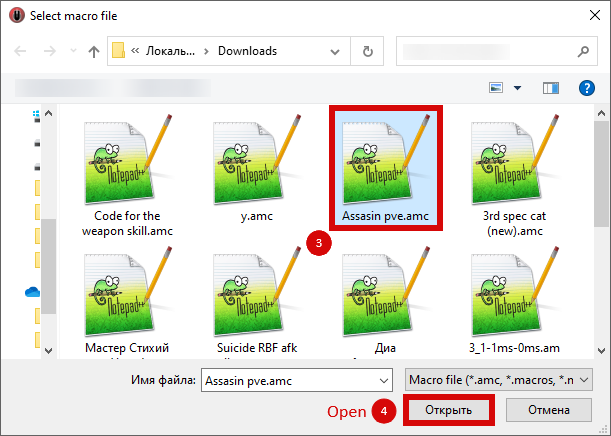
and select the downloaded file
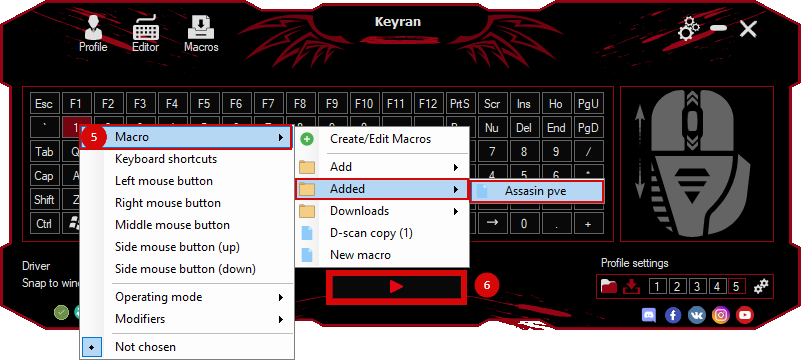
assign a macro to a key and run the program
 Video reviews
 Window work
 Create hotkeys
 Macro editor
 A4tech Macro Editor
 Script editor
 Ready macros and scripts
 Profile
 Sync log
 Program settings
 FAQ
FAQ Apex Legends
 ArcheAge
 Blade and Soul
 Dota 2
 Fortnite
 GTA V
GTA V Minecraft
 Overwatch
 Perfect World
 Rust
Rust Warface
 News
News Instructions
 Events and competitions
 Technical support