The “Bloodstrike Always Sprint” macro for the popular battle royale Blood Strike lets you stay in continuous tactical sprint mode with just a single press of the Shift key. Once activated, the macro keeps you sprinting automatically until you press the key again or stop the program.

Normally, players must double-tap or hold Shift to activate Tactical Sprint, which can delay slides, cause missed inputs, get you stuck in crouch, or slow you down during gunfights if the key doesn’t register properly.

This macro removes those issues by keeping Tactical Sprint active with a single press. It improves movement at all ranges, makes advanced maneuvers smoother, reduces the risk of getting stuck, and helps with escaping fights—allowing you to focus more on movement, shooting, and hipfire accuracy.
 Loading..
Download the program (Download) and go to the macro editor
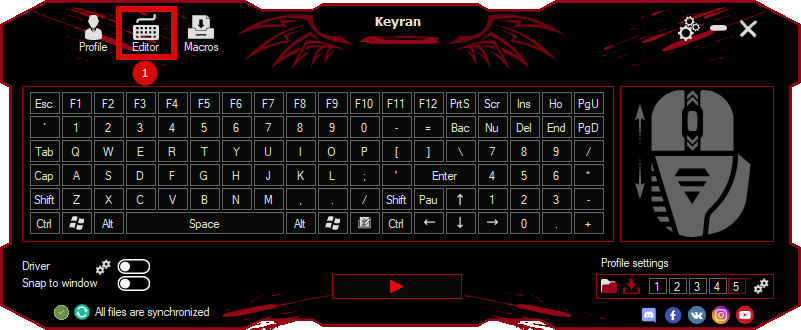
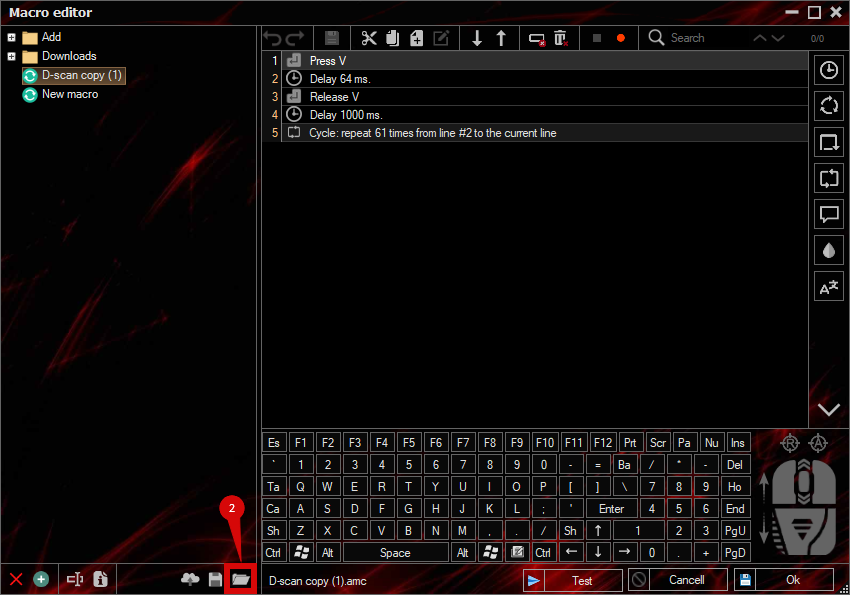
press the button «Open file»
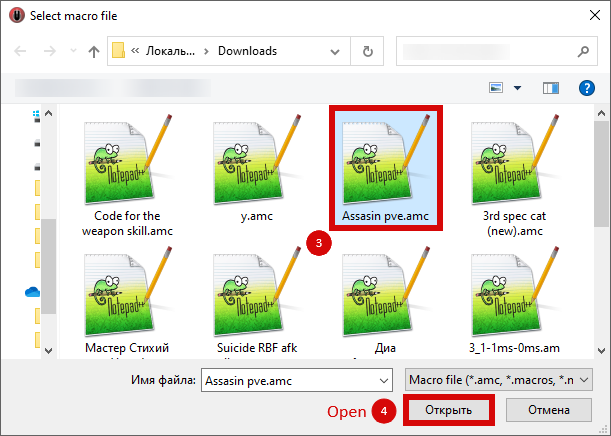
and select the downloaded file
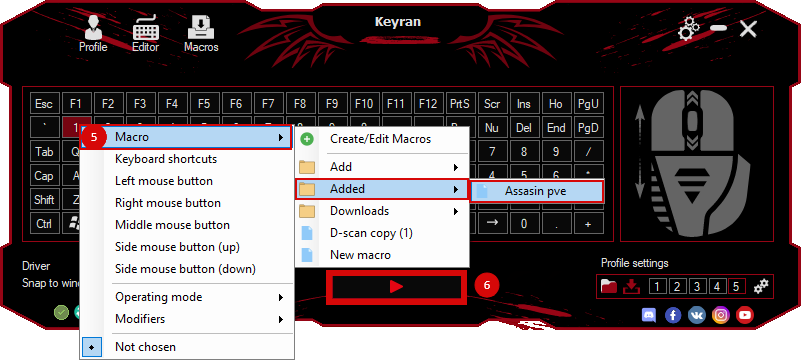
assign a macro to a key and run the program
 Video reviews
 Window work
 Create hotkeys
 Macro editor
 A4tech Macro Editor
 Script editor
 Ready macros and scripts
 Profile
 Sync log
 Program settings
 FAQ
 Apex Legends
 ArcheAge
 Blade and Soul
 Dota 2
 Fortnite
 GTA V
 Minecraft
 Overwatch
 Perfect World
 Rust
 Warface
 News
 Instructions
 Events and competitions
 Technical support