Mode - Defend Your Castle

The resolution is 1920 x 1080.

This macro, when turned on, teleports you to the store, enters it and buys up all the towers except the most expensive ones at 100m and 500m and the first cheapest ones (due to the fact that it is simply unprofitable to level up with the first six towers) - and of course buys up the walls because they need a lot to level up

The macro is simple enough to understand and edit yourself, made with comments on what is bought after, if desired, you can customize it for yourself and buy only those towers that you need.

I do not recommend reducing the delay time in the macro, since roblox may not have time to read the touch or teleport the cursor to a specific location.

The store is updated every 5 minutes, and the macro manages to go through the entire store 2 times, to eliminate the possibility that the macro will not have time to buy anything before the next store update.

(From myself: Do not set the auto-enchantment of any tower in parallel with the enabled macro (if, for example, you leave the macro on for a long time, for example at night), in my experience, I observed every time that after some time the game opened the enchantment menu and the macro, instead of buying a store, simply enchanted random towers = spent money)
 Loading..
Download the program (Download) and go to the macro editor
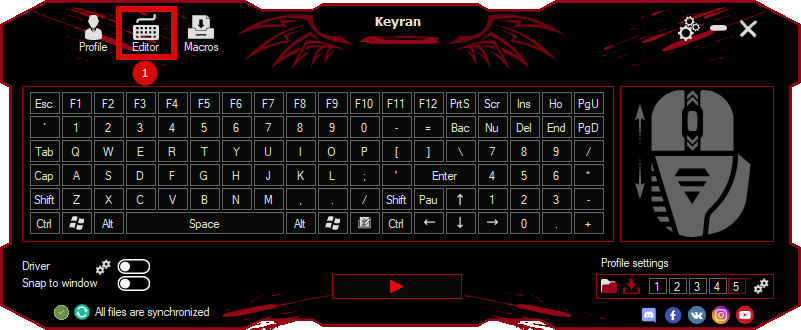
press the button «Open file»
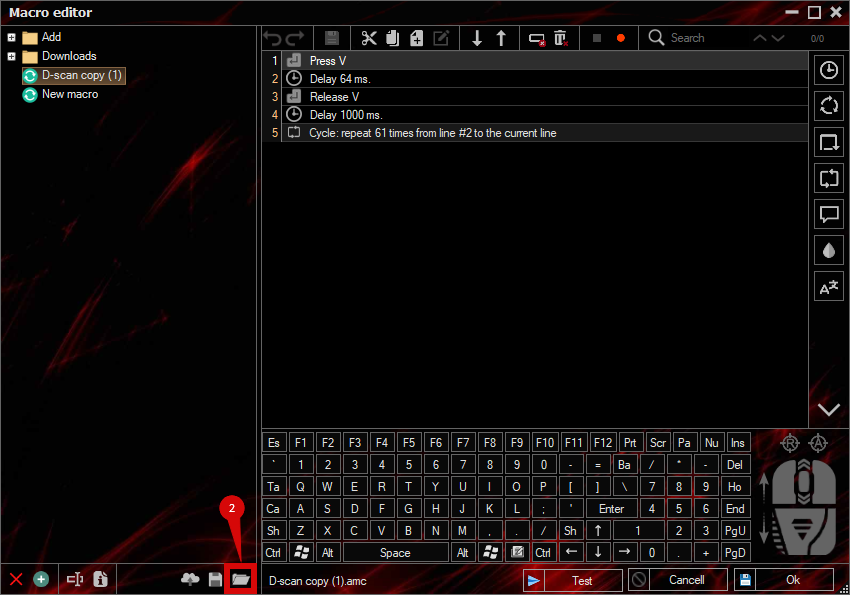
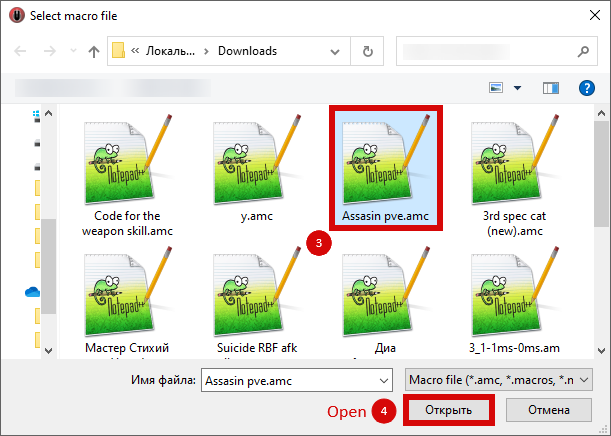
and select the downloaded file
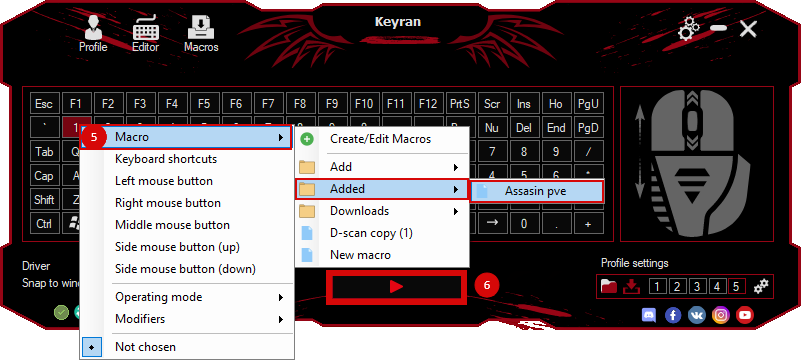
assign a macro to a key and run the program
 Video reviews
 Window work
 Create hotkeys
 Macro editor
 A4tech Macro Editor
 Script editor
 Ready macros and scripts
 Profile
 Sync log
 Program settings
 FAQ
 Apex Legends
 ArcheAge
 Blade and Soul
 Dota 2
 Fortnite
 GTA V
 Minecraft
 Overwatch
 Perfect World
 Rust
 Warface
 News
 Instructions
 Events and competitions
 Technical support