A fully automatic bot for the River Station. Motor ship (Nevsky - left marker)

Resolution: 1920x1080

Frame Rate: 60 FPS

Route time: Maly krug (Nevsky Prospekt) left marker


This macro is a fully working bot for completing a route at the River Station on a Motor Ship (Nevsky is the left marker). It works perfectly at a resolution of 1920x1080 Full HD and a frame rate of 60 FPS. The macro automates all necessary actions, including turns and stops, ensuring stable operation without user intervention.


Features:

 Full automation of all actions

Small circle of the route (Nevsky is the left marker)

Optimized for Full HD (1920x1080) and 60 FPS


Tested and stable


Launch Recommendations:

Wait 2 seconds before launching the bot.


Make sure that your screen resolution is set to 1920x1080 and the frame rate is 60 FPS.

Run the macro on the spot, without moving, for proper operation.


Do not interact with the keyboard or mouse while the macro is running.
 Loading..
Download the program (Download) and go to the macro editor
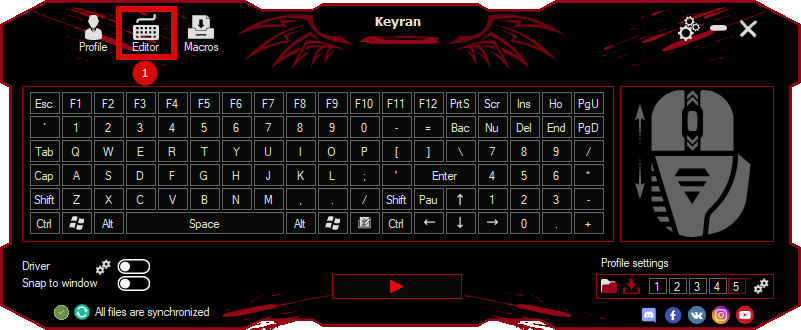
press the button «Open file»
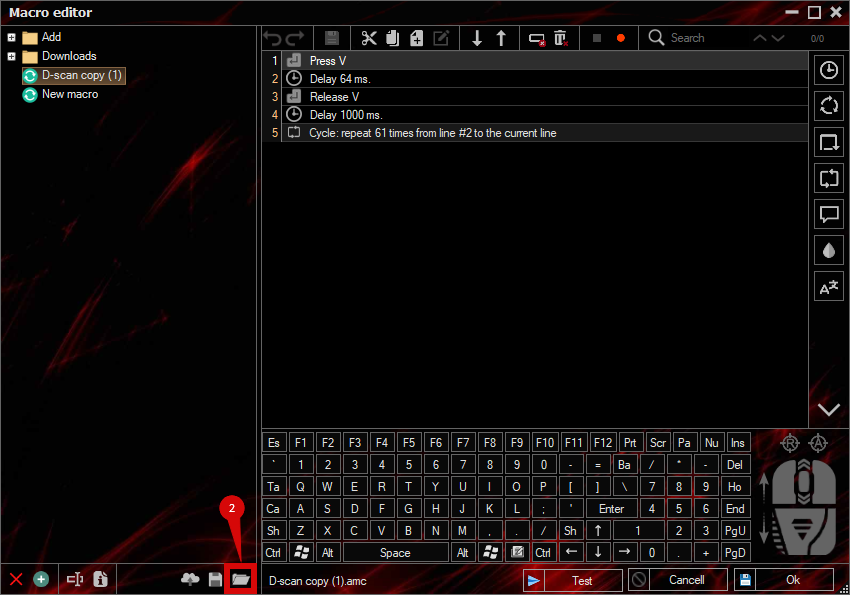
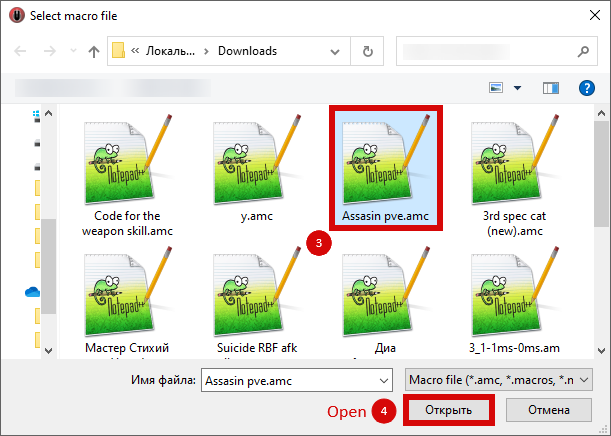
and select the downloaded file
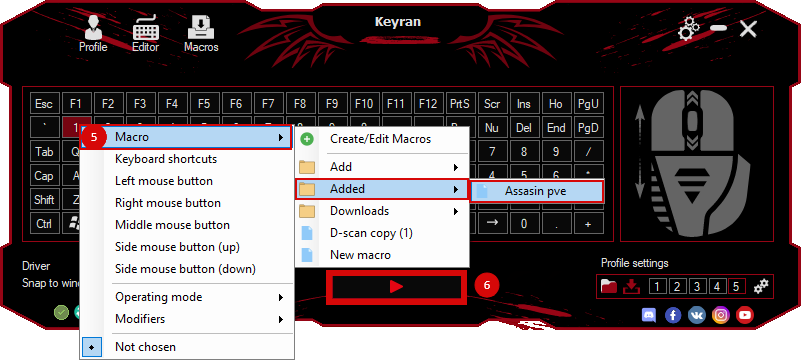
assign a macro to a key and run the program
 Video reviews
 Window work
 Create hotkeys
 Macro editor
 A4tech Macro Editor
 Script editor
 Ready macros and scripts
 Profile
 Sync log
 Program settings
 FAQ
 Apex Legends
 ArcheAge
 Blade and Soul
 Dota 2
 Fortnite
 GTA V
 Minecraft
 Overwatch
 Perfect World
 Rust
 Warface
 News
 Instructions
 Events and competitions
 Technical support