A new macro for working as a monorail driver clockwise.
Almost perfect hits on the pillars of the «stop of the first car». Randomized pauses before opening, closing doors and before the start of movement.
Recorded at minimum graphics settings with resolution 1366*768*32 .
The delays at the stations are long so that if the connection to the server is bad, there will be no station skips.
As soon as you get settled, check which train has started, there should be 6 cars. If there are fewer of them, then you need to go in manual mode or drive the train out of the depot, get out of it and get a job again. The macro will drive 2 laps for you and finish the job. Then you get settled again or get in line and as soon as you get behind the «steering wheel», you start it again.

Use it at your own risk. Admins are watching and can write at any time. Do not leave the PC for a long time with the macro running.
I will also publish a second macro for working as a monorail driver counterclockwise.
 Loading..
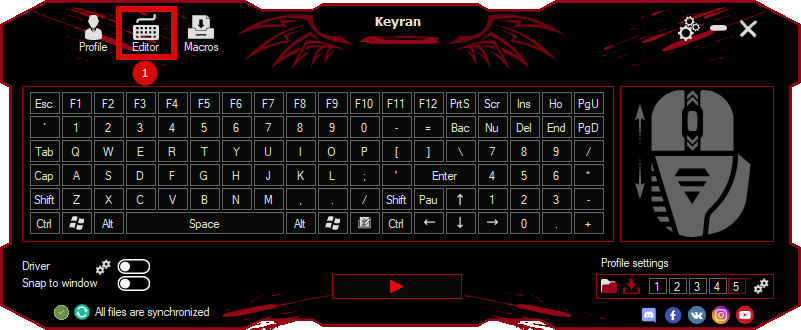
Download the program (Download) and go to the macro editor
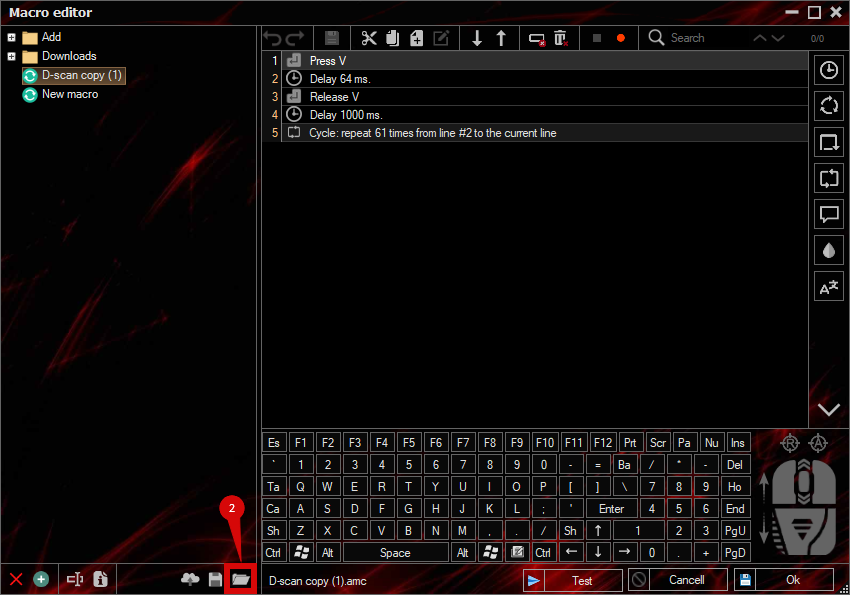
press the button «Open file»
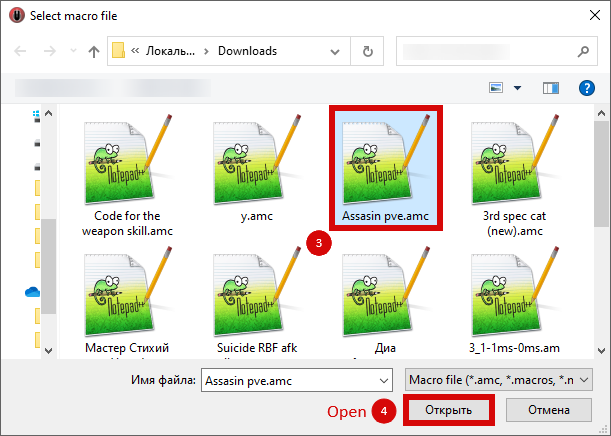
and select the downloaded file
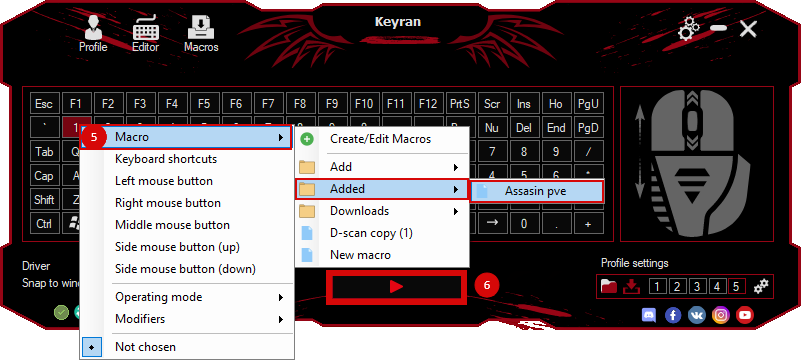
assign a macro to a key and run the program
 Video reviews
 Window work
 Create hotkeys
 Macro editor
 A4tech Macro Editor
 Script editor
 Ready macros and scripts
 Profile
 Sync log
 Program settings
 FAQ
 Apex Legends
 ArcheAge
 Blade and Soul
 Dota 2
 Fortnite
 GTA V
 Minecraft
 Overwatch
 Perfect World
 Rust
 Warface
 News
 Instructions
 Events and competitions
 Technical support