The macro is designed to perform a complex trick in the TSB (Kakyo tech) game.The macro performs M1 with a mini uppercut making an extender, which is why you can continue the combo, for convenient use, I advise you to bind the macro to the «R» key(English).Before using the macro, set the screen resolution to 1980x1080p, FPS to 120-240, and ping to be performed at 70-90.If it is not convenient for you to use it without KD (camp) on the opponent, then remove the first two strikes ( LMB), or, if desired, change the delay to the character's jerk ( Q).It is important not to touch the other parameters of the macro, as this will lead to unstable and incorrect operation of the macro.The macro is not used on the characters «Metal bat» and «Destructive cyborg».Make sure that you and your opponent are not lagging or have a high ping.If you need a detailed tutorial on using the trick with and without a macro, then write to Discord with the nickname krutoimen52.
 Loading..
Download the program (Download) and go to the macro editor
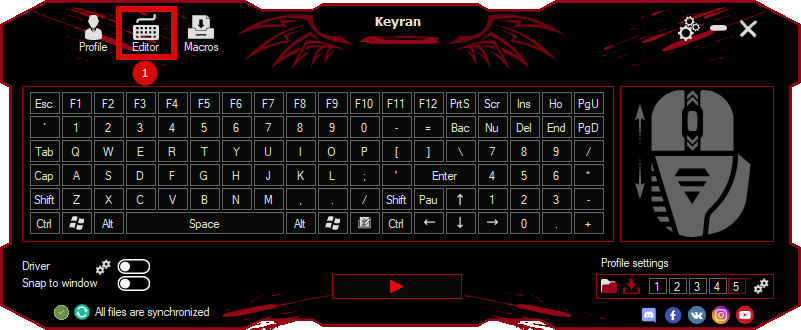
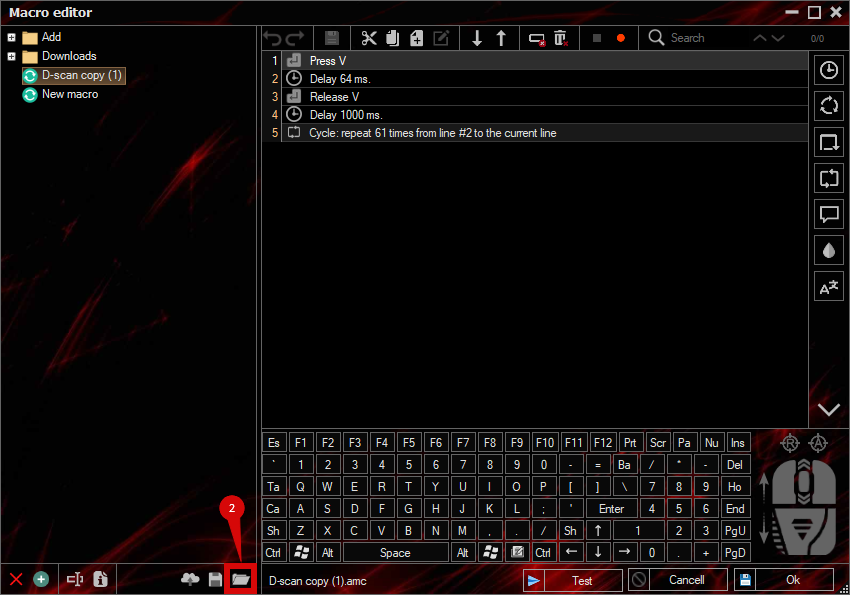
press the button «Open file»
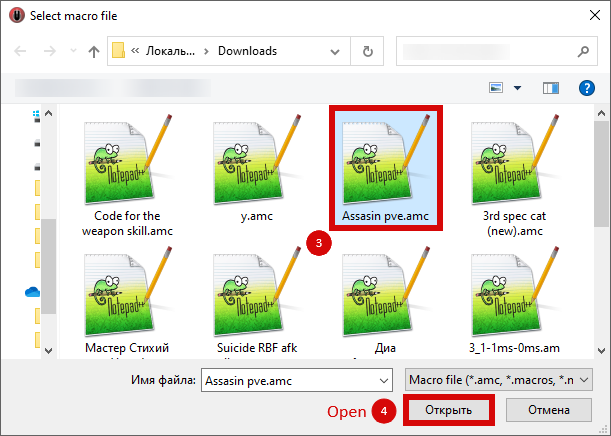
and select the downloaded file
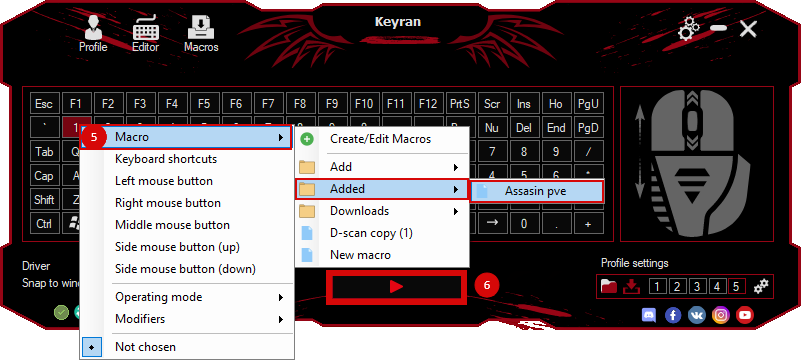
assign a macro to a key and run the program
 Video reviews
 Window work
 Create hotkeys
 Macro editor
 A4tech Macro Editor
 Script editor
 Ready macros and scripts
 Profile
 Sync log
 Program settings
 FAQ
 Apex Legends
 ArcheAge
 Blade and Soul
 Dota 2
 Fortnite
 GTA V
 Minecraft
 Overwatch
 Perfect World
 Rust
 Warface
 News
 Instructions
 Events and competitions
 Technical support