The macro for the game «Locked» in Roblox performs a 180-degree rotation, quickly switches to a formless state and returns to its original direction, looking in the same direction as before. The camera movement is slightly randomized to make it more legit, and it is also slowed to add to it. It is recommended to use a sensitivity of 0.171 at a resolution of 800 DPI in Roblox. The 1920 x 1080 resolution is considered optimal, but you can choose any other one, since the mouse movement depends on the relative coordinates. The turning is slowed so that you don't seem obvious when you clip it, but there are no promises.
 Loading..
Download the program (Download) and go to the macro editor
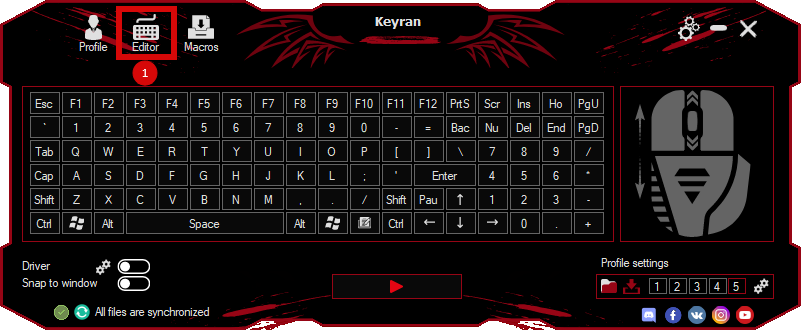
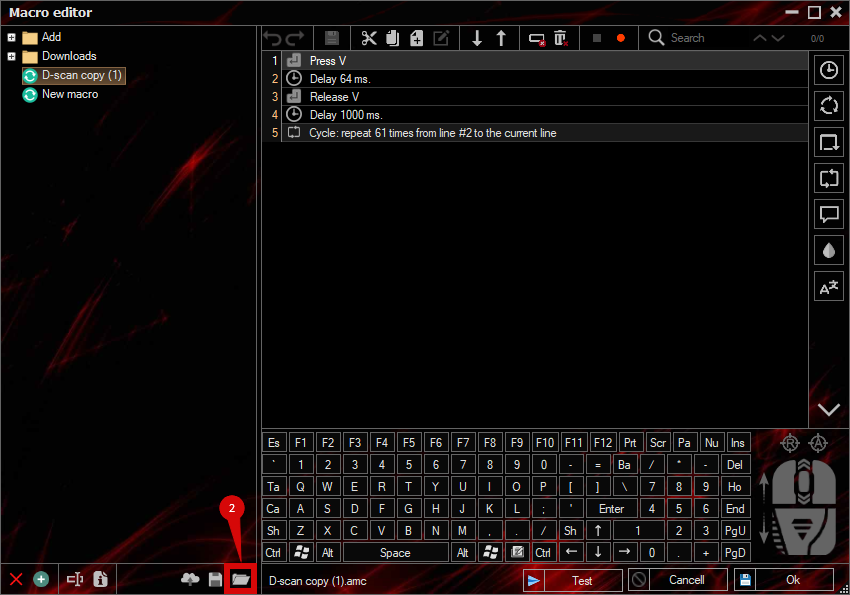
press the button «Open file»
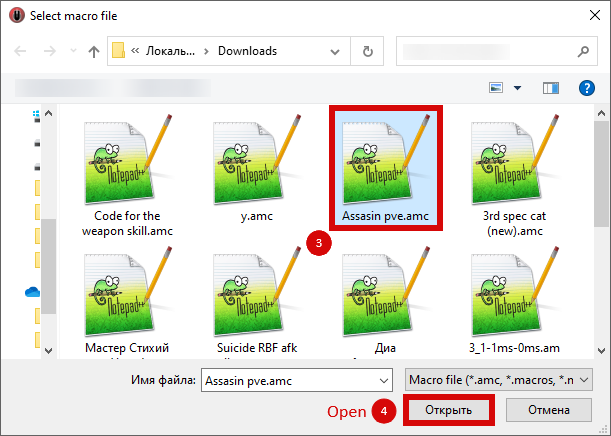
and select the downloaded file
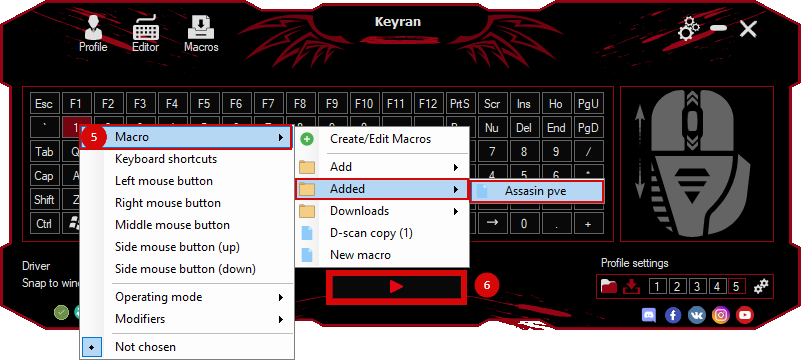
assign a macro to a key and run the program
 Video reviews
 Window work
 Create hotkeys
 Macro editor
 A4tech Macro Editor
 Script editor
 Ready macros and scripts
 Profile
 Sync log
 Program settings
 FAQ
FAQ Apex Legends
 ArcheAge
 Blade and Soul
 Dota 2
 Fortnite
 GTA V
GTA V Minecraft
 Overwatch
 Perfect World
 Rust
Rust Warface
 News
News Instructions
 Events and competitions
 Technical support