--- Setting a full line (up-right) of any objects ---

Recommended display settings (lower left corner): row — column, 3 — 2, 4 — 3, 5 — 1.
THE scale MUST be 1 (the smallest).
It is not advisable to change the mode of operation of the macro.

Instructions:
The included driver is required, shift does not work without it.
Before pressing the macro activation button, hold the cursor over the object (rotate if necessary), hover over the tile so that the cursor changes to the index finger, the fingertip should be in the center of the tile, and hold down the activation button.
Each tile is clicked, which allows you to place both 1x1 objects and, for example, rigs.

I checked in Full HD, in theory, with other resolutions, the cursor may not move correctly, because the relative movement is set pixel by pixel.
 Loading..
Download the program (Download) and go to the macro editor
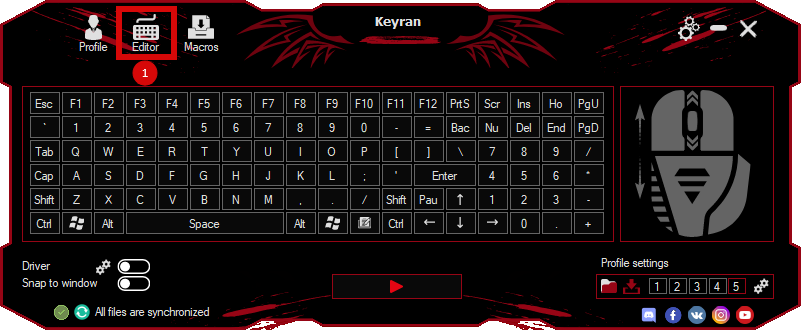
press the button «Open file»
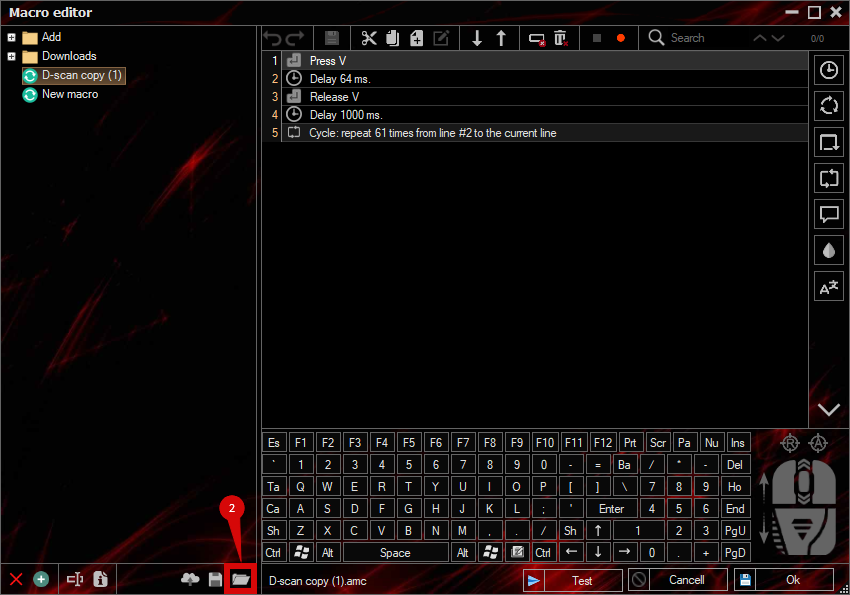
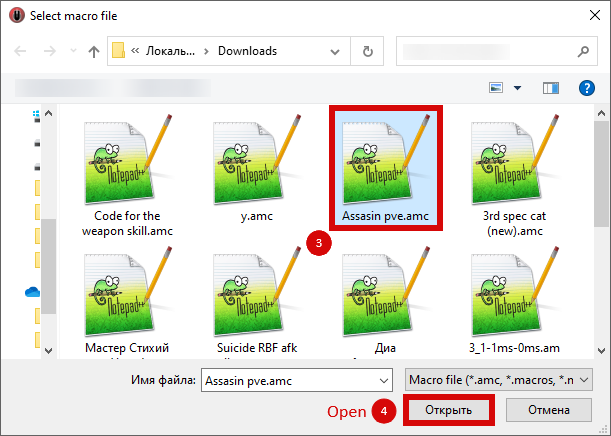
and select the downloaded file
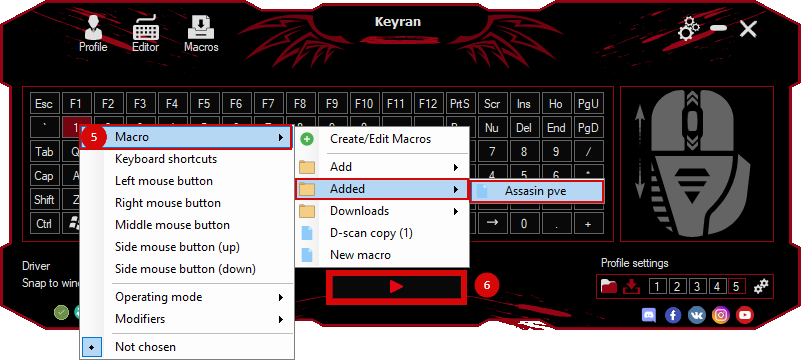
assign a macro to a key and run the program
 Video reviews
 Window work
 Create hotkeys
 Macro editor
 A4tech Macro Editor
 Script editor
 Ready macros and scripts
 Profile
 Sync log
 Program settings
 FAQ
FAQ Apex Legends
 ArcheAge
 Blade and Soul
 Dota 2
 Fortnite
 GTA V
GTA V Minecraft
 Overwatch
 Perfect World
 Rust
Rust Warface
 News
News Instructions
 Events and competitions
 Technical support