5-Point Diagonal Jitter
Driver: Must be ENABLED in the settings («Use driver for mouse control in macros»).
Resolution: 1920x1080.
DPI: 800 DPI.
Mode: Loop while pressed.
3px horizontal, 3px down dip between every step.

It works great for all weapons, just know this isnt «Zero» recoil rather heavily reduces it espically for lower recoil weapons. R99 and Car need a touch of pulling down to remove all recoil. happy shooting
 Loading..
Download the program (Download) and go to the macro editor
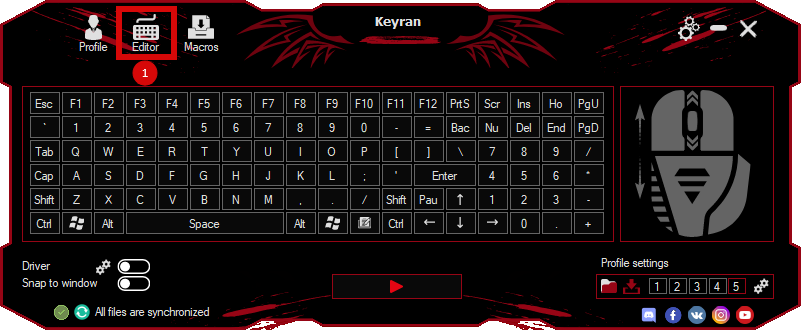
press the button «Open file»
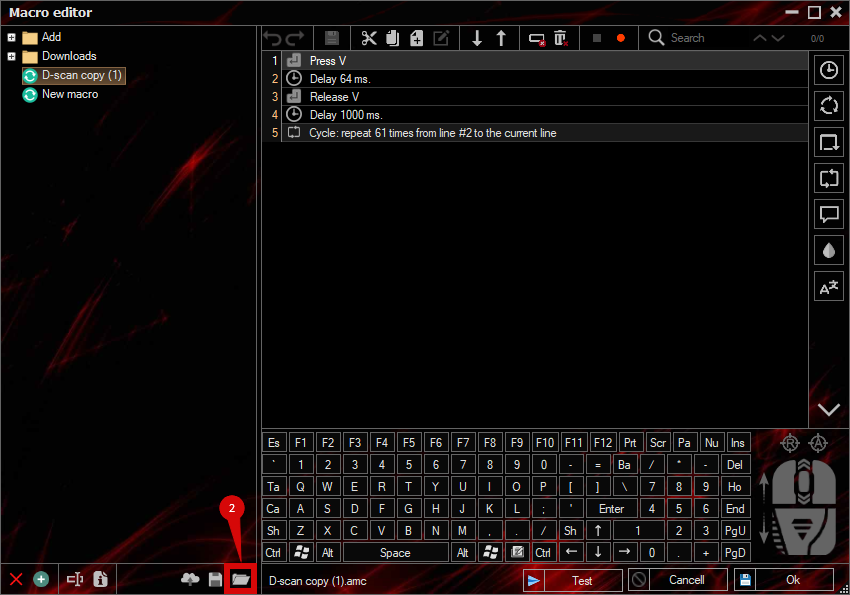
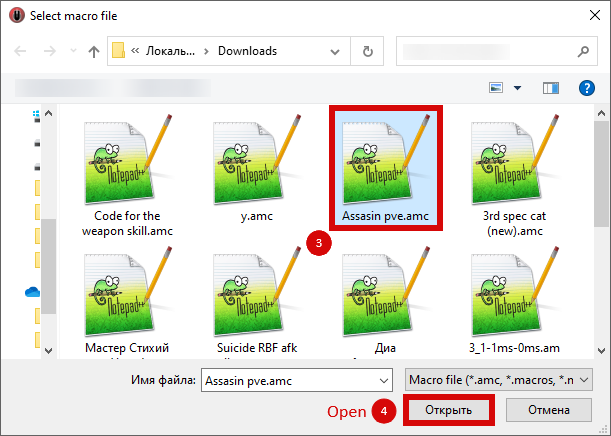
and select the downloaded file
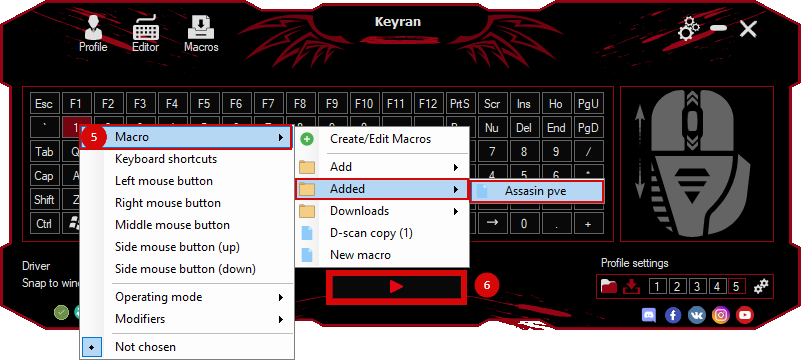
assign a macro to a key and run the program
 Video reviews
 Window work
 Create hotkeys
 Macro editor
 A4tech Macro Editor
 Script editor
 Ready macros and scripts
 Profile
 Sync log
 Program settings
 FAQ
FAQ Apex Legends
 ArcheAge
 Blade and Soul
 Dota 2
 Fortnite
 GTA V
GTA V Minecraft
 Overwatch
 Perfect World
 Rust
Rust Warface
 News
News Instructions
 Events and competitions
 Technical support