TITLE: Destiny 2 Auto Reload. DESCRIPTION: Quick recharge with animation cancellation: R (Recharge) -> Jump (Space) to cancel. Speeds up recharge by ~0.5 seconds. RECOMMENDED KEY: Mouse 5 (Side). HOW TO USE: Link the macro to the Mouse 5 button. After firing, press Mouse 5. The macro will press R and jump to cancel the recharge animation. One-time execution. customization: If the jump does not cancel the animation, increase the Delay 20 ms to 50 ms. AUTHOR: by Britan. It is FORBIDDEN to copy without specifying the author.
 Loading..
Download the program (Download) and go to the macro editor
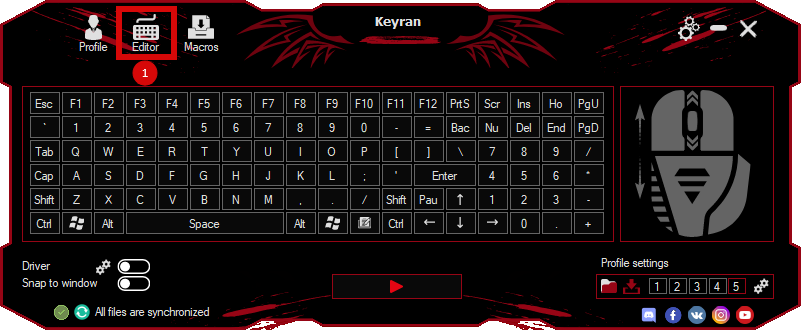
press the button «Open file»
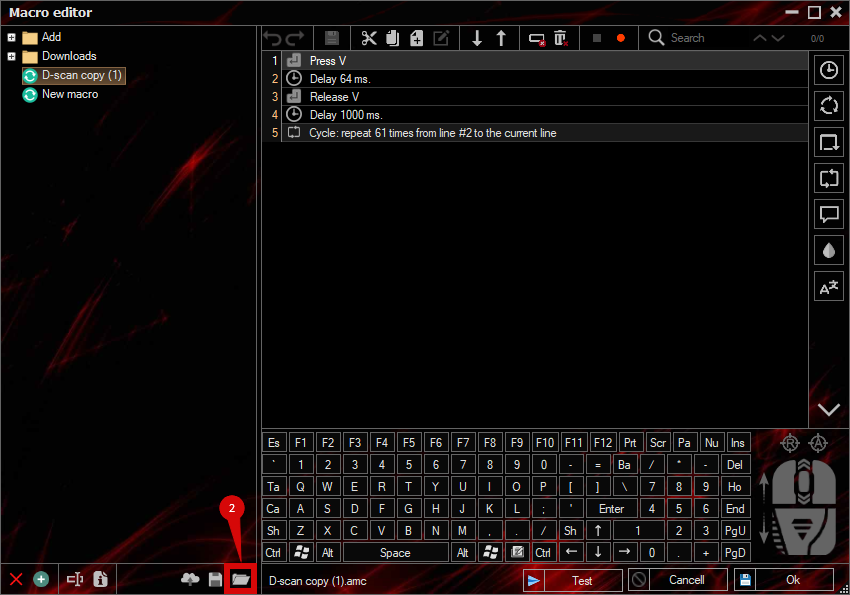
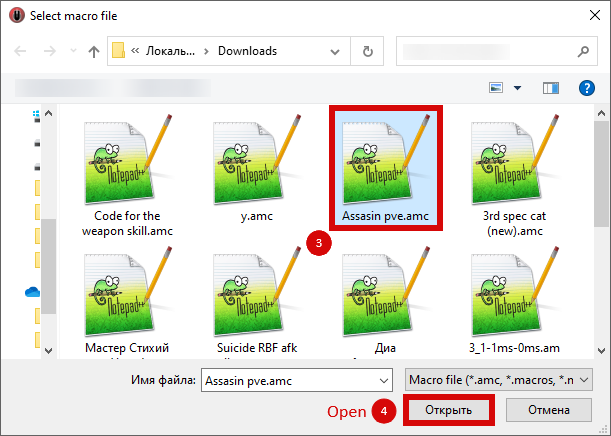
and select the downloaded file
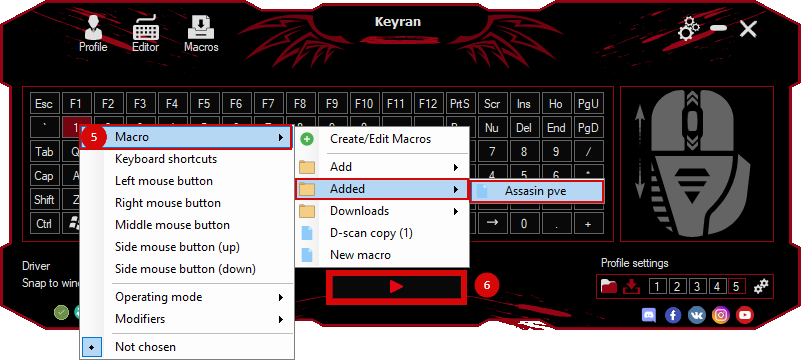
assign a macro to a key and run the program
 Video reviews
 Window work
 Create hotkeys
 Macro editor
 A4tech Macro Editor
 Script editor
 Ready macros and scripts
 Profile
 Sync log
 Program settings
 FAQ
FAQ Apex Legends
 ArcheAge
 Blade and Soul
 Dota 2
 Fortnite
 GTA V
GTA V Minecraft
 Overwatch
 Perfect World
 Rust
Rust Warface
 News
News Instructions
 Events and competitions
 Technical support