!BE SURE TO READ THE DESCRIPTION! A macro created for the parkour legacy game inside the roblox platform. I created it for myself according to my settings. In order to use the macro normally, you need to go to the settings further in keybindings and put quick turn on the right mouse button, you also need to turn on utility mode so that it is easier for you to adjust. To perform the desh, you need to be on the edge of the building, hold down the shift, position your sight (from the first person) parallel to the building, press the macro and wait for the first purple/pink number to appear, when it appears, press the shift. After turning the camera and the second pink number appears, you need to turn towards the edge of the building, press the space bar and after you have touched the roof of the building with your foot, press the shift. It is advisable not to press the shift and jump when you are on the edge. instructions in the form of a video:https://www.youtube.com/watch?v=nP7xNW7oYgU (it's in English, but everything is clear there in principle)
 Loading..
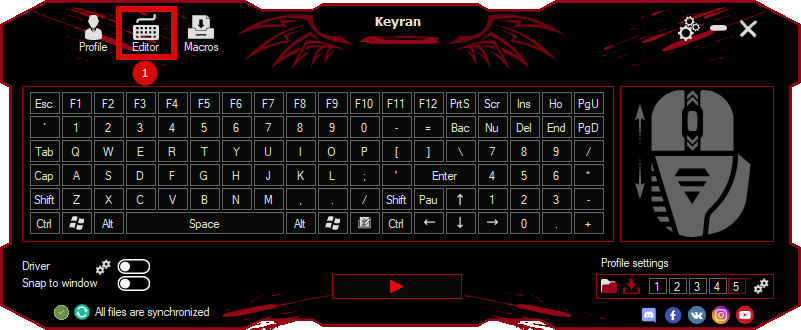
Download the program (Download) and go to the macro editor
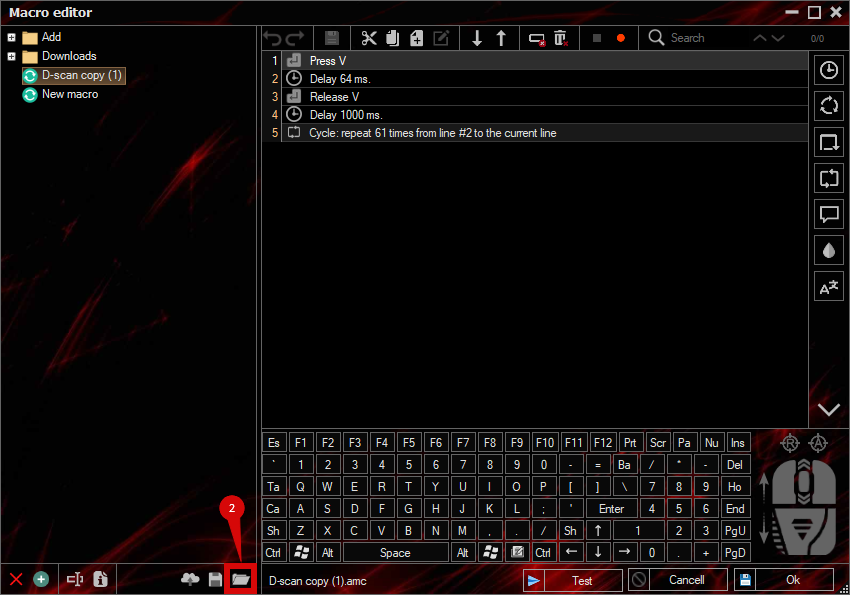
press the button «Open file»
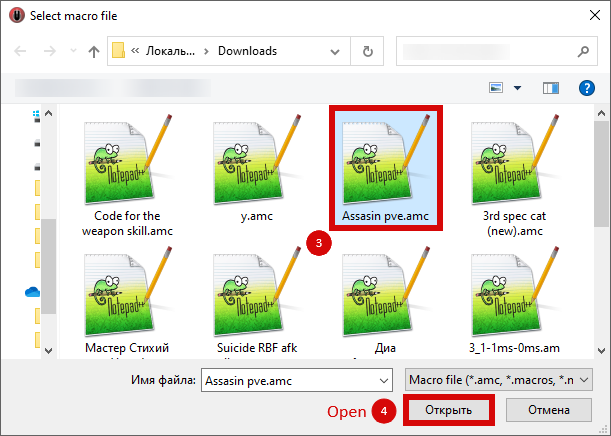
and select the downloaded file
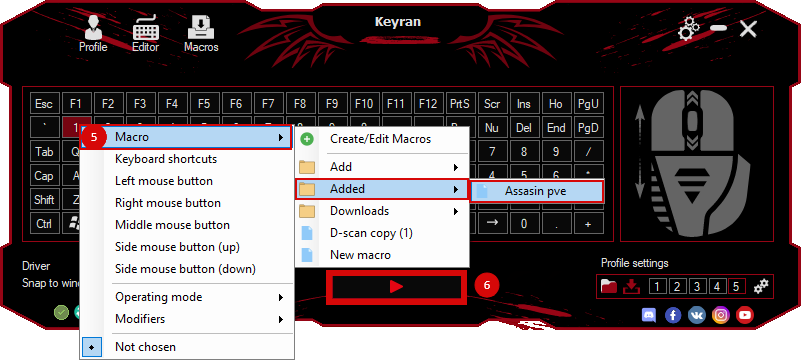
assign a macro to a key and run the program
 Video reviews
 Window work
 Create hotkeys
 Macro editor
 A4tech Macro Editor
 Script editor
 Ready macros and scripts
 Profile
 Sync log
 Program settings
 FAQ
 Apex Legends
 ArcheAge
 Blade and Soul
 Dota 2
 Fortnite
 GTA V
 Minecraft
 Overwatch
 Perfect World
 Rust
 Warface
 News
 Instructions
 Events and competitions
 Technical support