Hello everyone again.Once again, I wrote a new macro for minecraft servers.This macro is quite simple, as is its task, This macro writes the /save command.This command is used to create a backup copy of the world.For example, some kind of malfunction may occur on the server, which will lead to a loss of game progress, In order to avoid these situations, the server administration periodically makes a copy of the world.I believe that this macro will be useful for the administration of various servers.

Setup Instructions:
1)First, download the file of this macro to your computer.
2)In the Keyran program, launch the Keyran keyboard control panel.
3)Select the appropriate key or mouse button to activate this macro.
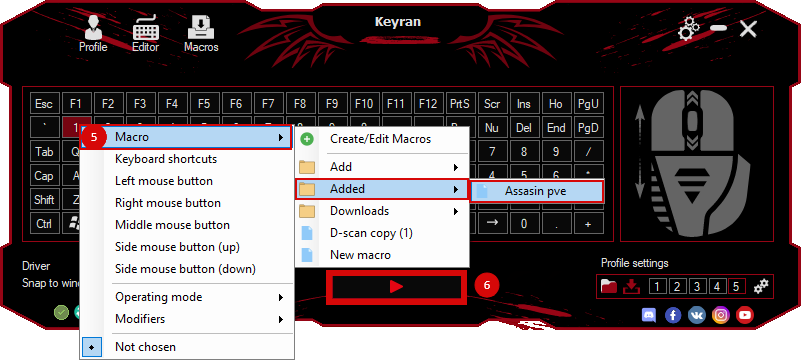
4)Right-click on this key.and then assign a macro.
5) After all the actions, save all the changes, after saving you can use the macro in the game.
 Loading..
Download the program (Download) and go to the macro editor
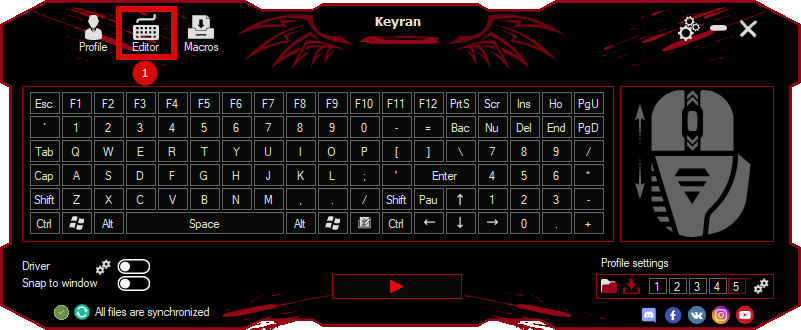
press the button «Open file»
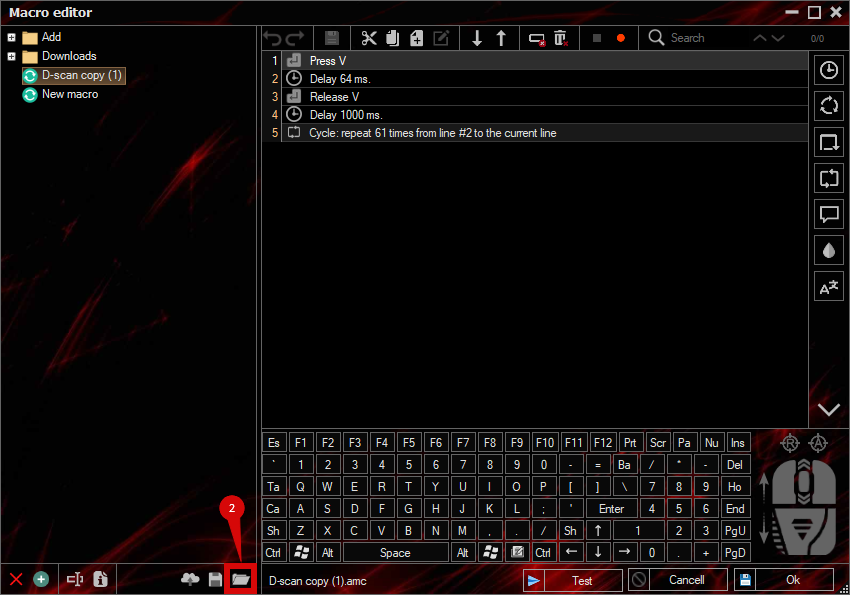
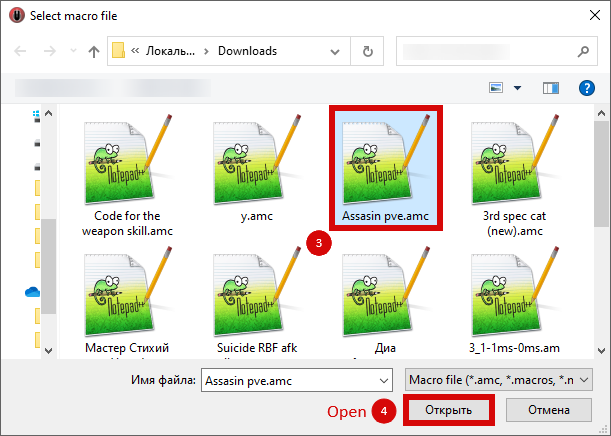
and select the downloaded file
assign a macro to a key and run the program
 Video reviews
 Window work
 Create hotkeys
 Macro editor
 A4tech Macro Editor
 Script editor
 Ready macros and scripts
 Profile
 Sync log
 Program settings
 FAQ
 Apex Legends
 ArcheAge
 Blade and Soul
 Dota 2
 Fortnite
 GTA V
 Minecraft
 Overwatch
 Perfect World
 Rust
 Warface
 News
 Instructions
 Events and competitions
 Technical support