We want to share with you the result of many hours of work.
We present to your attention an ideal macro for semi-automation of work at a Tobacco Factory. If you are tired of tormenting yourself with a circle for lifting boxes at a Tobacco Factory, then this macro is just for you. You will still have to move the character from marker to marker manually.
Relevant for completing Seasonal Pass tasks. (The author of the macro performed such a task on 140 boxes, and if 40 boxes is quite easy, then on 140 boxes the difference is significant and this macro will noticeably make your life easier).

For the macro to work correctly, you need:
1. Set the screen resolution in your PC settings 1920*1080*32 (100% scale required)
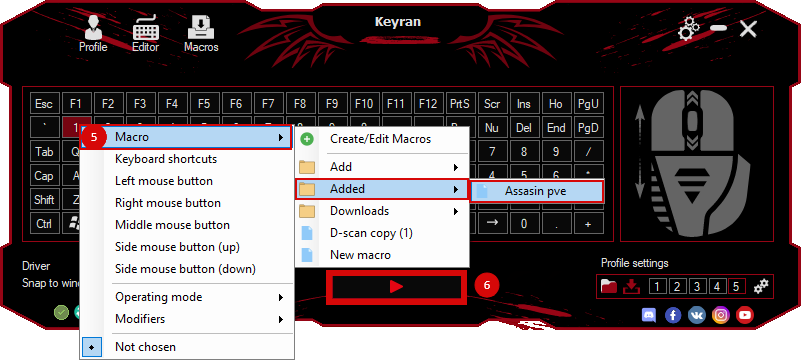
2. Launch Keyran and configure the key to launch this macro. At the same time, in the program settings, the slider «driver» should be turned on, and «binding to the window» should be turned off.
3. Make sure that in the macro settings, the mode of operation of the entire macro is «Hold to start, release to stop.
4. Launch the game in windowed mode with a resolution of 1366*768*32 and don't move the game window.
5. To triple the work of the «Tobacco Factory».
6. Running up to the pickup box marker (even before you get on it!) hold down the macro start key until the circle disappears, then release it.

Thus, it turns out that you will not «drop» the box and will pick it up from the pickup truck as quickly as possible, and not «catch» the circle manually.
The server administration should not be able to track the use of this macro, but still the use is at your own risk.
 Loading..
Download the program (Download) and go to the macro editor
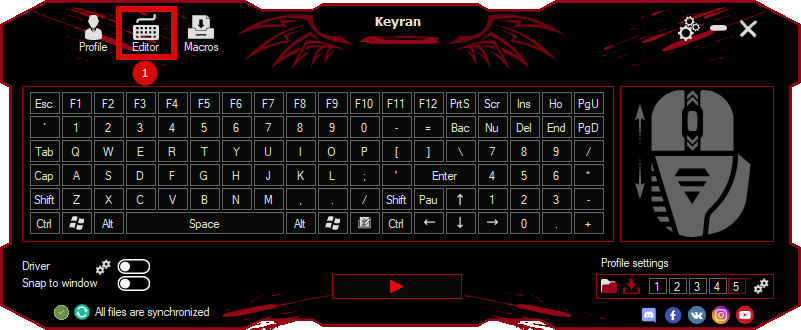
press the button «Open file»
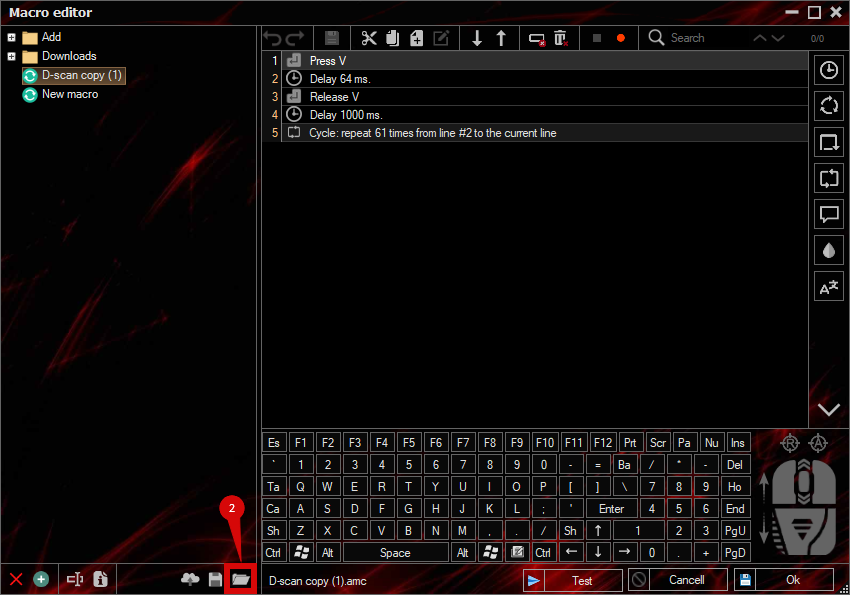
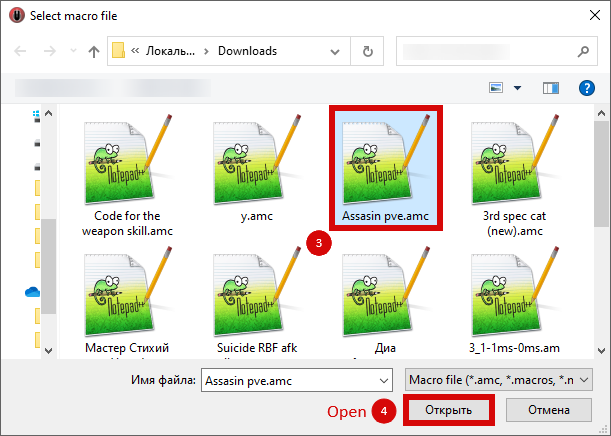
and select the downloaded file
assign a macro to a key and run the program
 Video reviews
 Window work
 Create hotkeys
 Macro editor
 A4tech Macro Editor
 Script editor
 Ready macros and scripts
 Profile
 Sync log
 Program settings
 FAQ
 Apex Legends
 ArcheAge
 Blade and Soul
 Dota 2
 Fortnite
 GTA V
 Minecraft
 Overwatch
 Perfect World
 Rust
 Warface
 News
 Instructions
 Events and competitions
 Technical support