Goal:
The macro is designed for automatic brewing of moonshine in the SAMP game on the Trinity RP server. With it, the player can perform actions related to the production of moonshine, without having to manually configure each stage of the process.

                                                                          What does the macro do?:

 1) Automatic collection of materials — the macro can automatically interact with the objects needed for brewing moonshine.
 2) Start of brewing — activates the process of brewing moonshine by pressing the necessary buttons.
 3) Cooking process — ensures that the player performs all the necessary steps to successfully complete cooking (for example, adding ingredients, heating).
 4) Completion of the process — upon completion of cooking, the macro can automatically move the finished products to the inventory.
                                                                          Checking the status:
If monitoring the condition of the object (for example, temperature, availability of ingredients) is required during cooking, the macro can monitor all these indicators and keep them normal.

                                                                           Example of a process description for a macro:

Interaction with the object to start cooking.
Confirmation of the availability of all ingredients
Selection of options for activating cooking.
Automatic collection of the finished product at the end of cooking.

                                                                            Settings :
1920x1080 x32bit
ping 50-60
FPS 90 Loading..
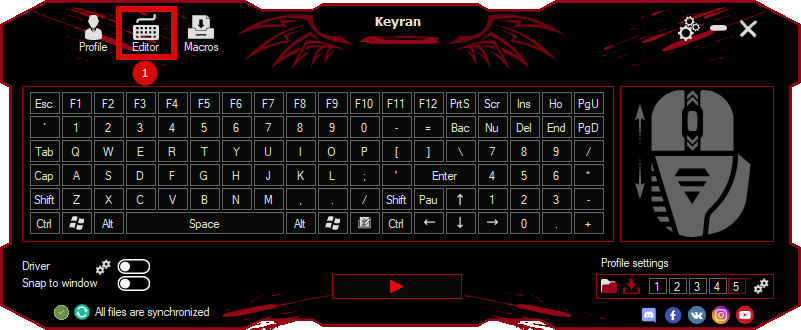
Download the program (Download) and go to the macro editor
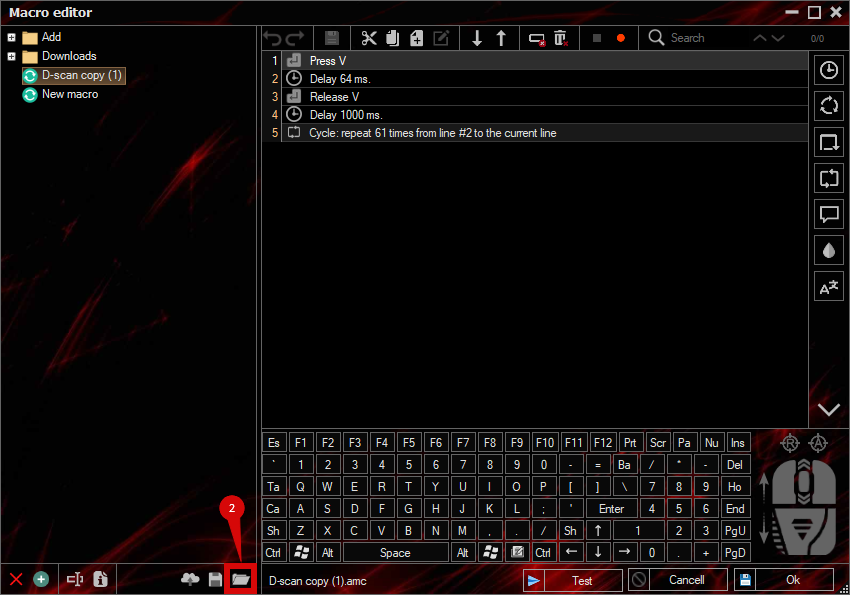
press the button «Open file»
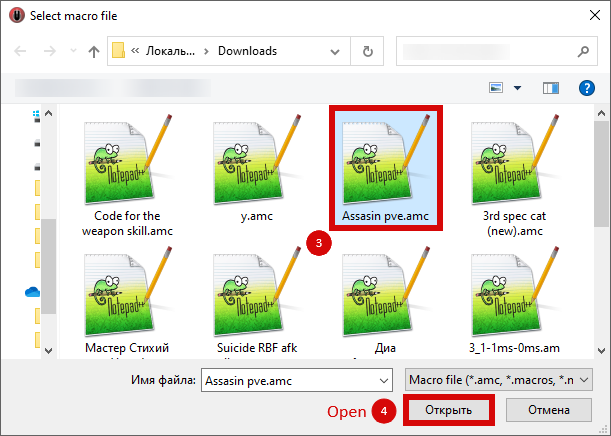
and select the downloaded file
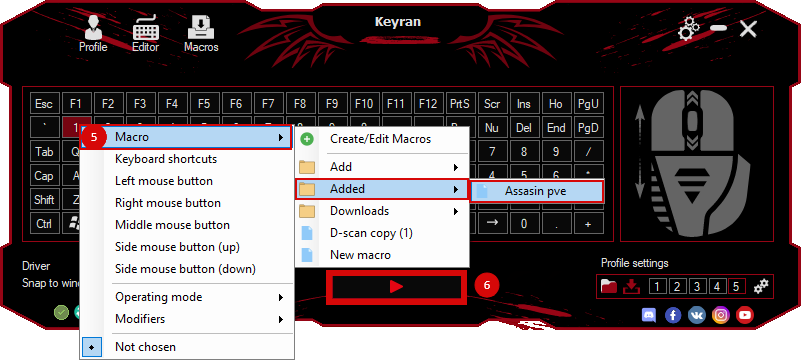
assign a macro to a key and run the program
 Video reviews
 Window work
 Create hotkeys
 Macro editor
 A4tech Macro Editor
 Script editor
 Ready macros and scripts
 Profile
 Sync log
 Program settings
 FAQ
 Apex Legends
 ArcheAge
 Blade and Soul
 Dota 2
 Fortnite
 GTA V
 Minecraft
 Overwatch
 Perfect World
 Rust
 Warface
 News
 Instructions
 Events and competitions
 Technical support