The macro on the slide for the ssj. Special delays were set in the macro.Macro for the game roblox mode Ro-ghoul translated Tokyo ghoul.The macro makes a slide on jason 13 for the ssd quincey on the skill with. In order for the macro to work, you need 90 pings.The macro works at 60 fps. The settings of the sense are not important because there is nothing special to do with the mouse.And also a guide on how to install and use my macro macro. 1. Download the Keyran program on the keyran website. 2. Download my macro. 3. Open the Keyran program that you downloaded. 4.Buy/get hours/days/months/years/Centuries. 5. Open the Marcos editor. 6. Click open file. 7. Select my macro Jason'13 long slide.amc. 8. Close the macro editor. 9. Assign to any key. 10. Open or download any Chrome/Firefox/Yandex/Opera/Opera GX/ browser. 11. Open the Roblox website. 12.Register, log in to the Roblox website 13.open the ro-Ghoul place. 14.Click the start button. 15. Enjoy, get high playing Roblox.
 Loading..
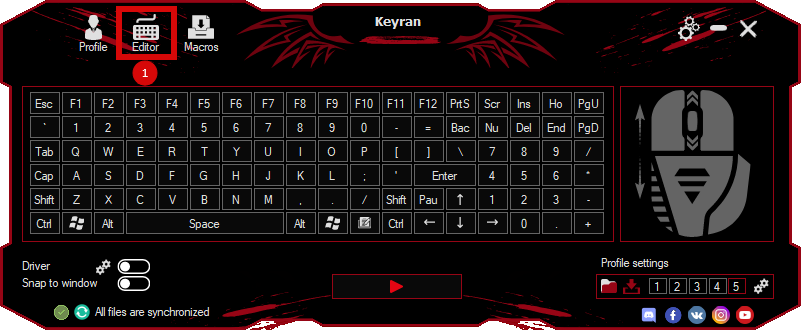
Download the program (Download) and go to the macro editor
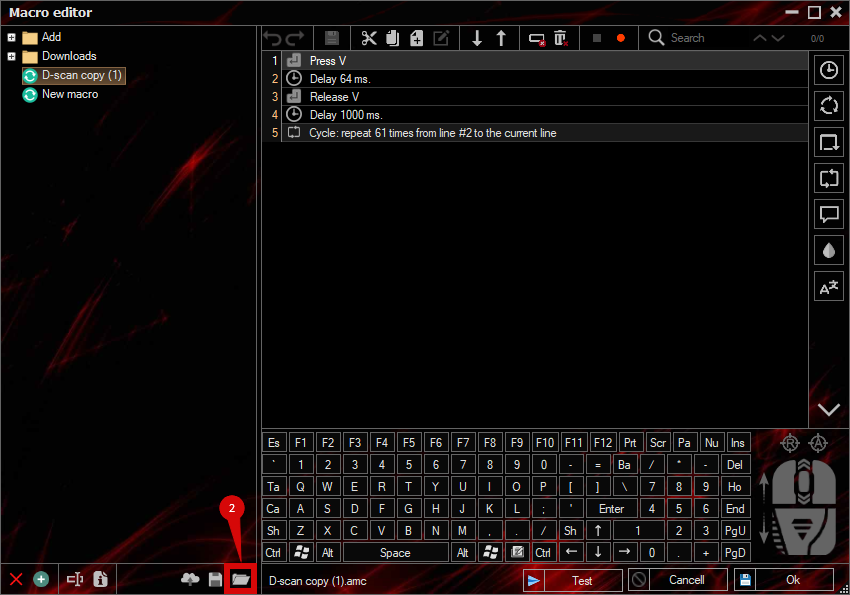
press the button «Open file»
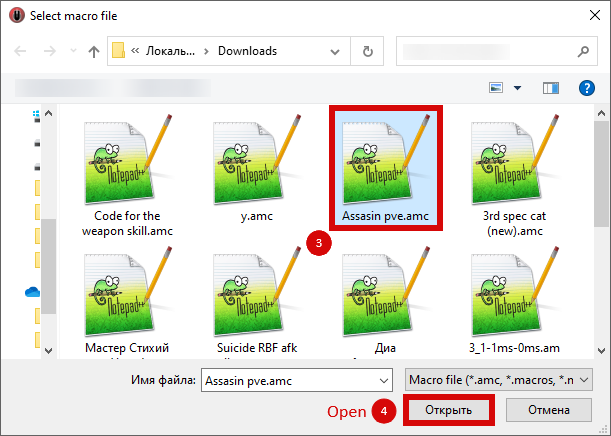
and select the downloaded file
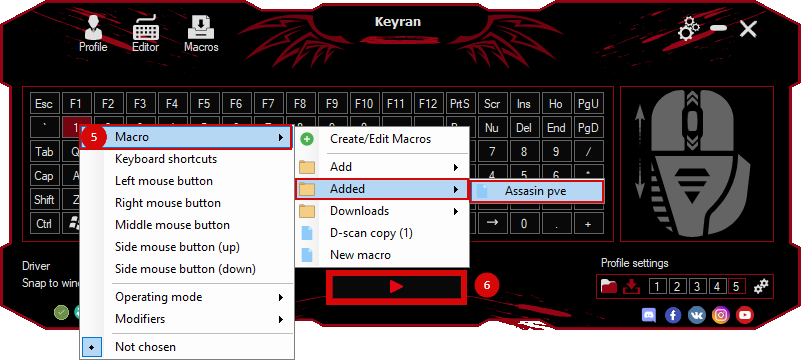
assign a macro to a key and run the program
 Video reviews
 Window work
 Create hotkeys
 Macro editor
 A4tech Macro Editor
 Script editor
 Ready macros and scripts
 Profile
 Sync log
 Program settings
 FAQ
FAQ Apex Legends
 ArcheAge
 Blade and Soul
 Dota 2
 Fortnite
 GTA V
GTA V Minecraft
 Overwatch
 Perfect World
 Rust
Rust Warface
 News
News Instructions
 Events and competitions
 Technical support