Auto Dismantling and Auto Destroy

How to use:
1. Make sure you are in windowed mode with a Resolution of 1440x1050.
2. Open and place your inventory on the top right corner.
3. Open your inventory and click either Dismantle or Destroy.
4. Make sure you arranged the items you want to destroy or dismantle.
5. Press the assigned key for he macro and watch the macro click 18 times in one go.
6. Lastly, you need to press the Dismantle/Destroy button yourself to avoid accidental dismantling and destruction of important items.

Enjoy!!
 Loading..
Download the program (Download) and go to the macro editor
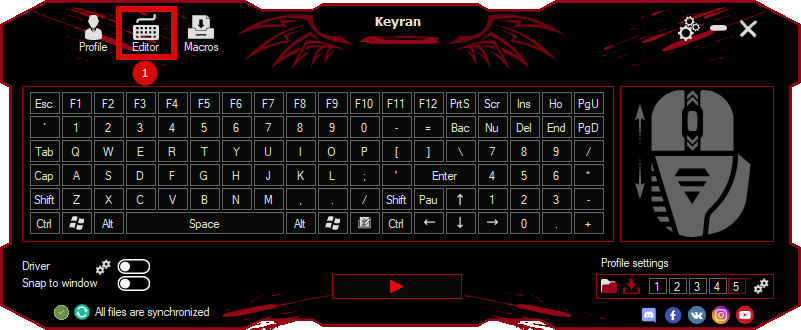
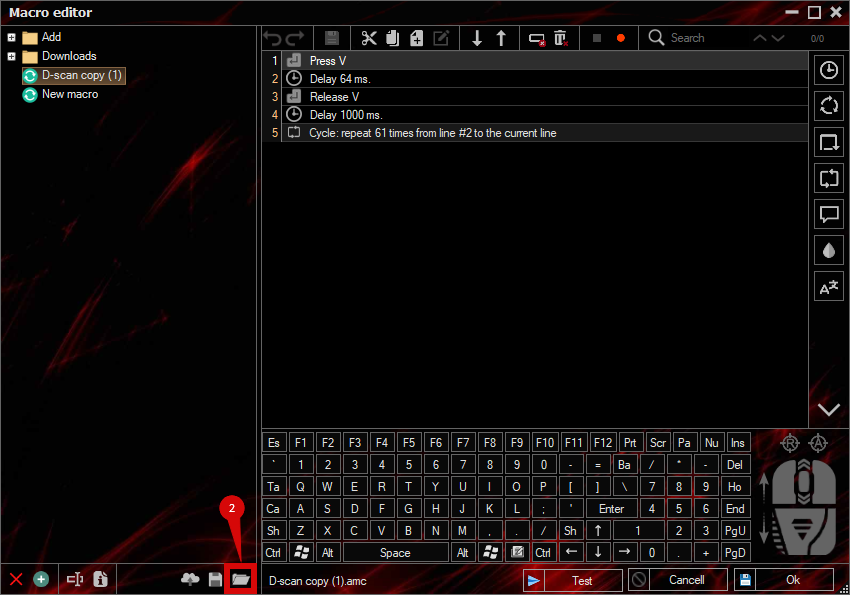
press the button «Open file»
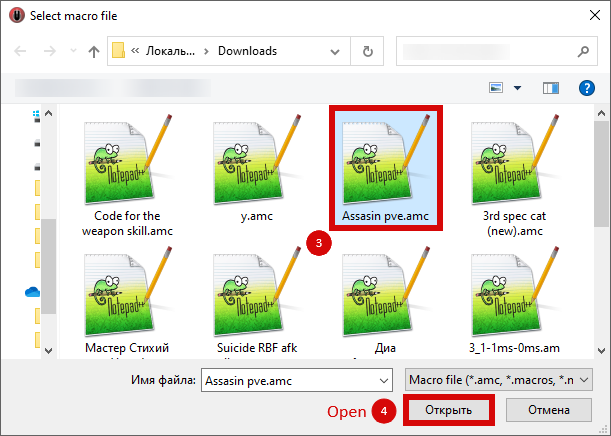
and select the downloaded file
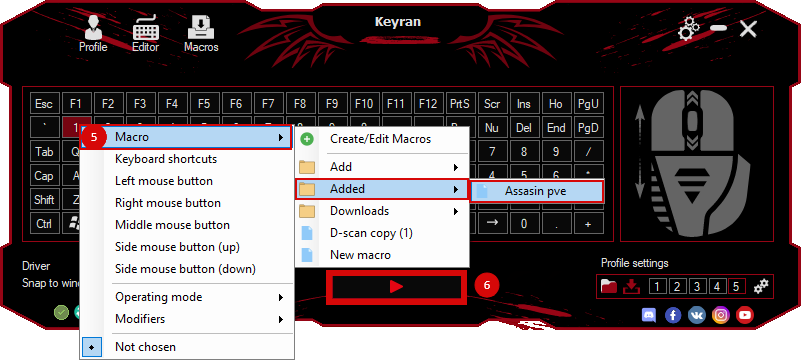
assign a macro to a key and run the program
 Video reviews
 Window work
 Create hotkeys
 Macro editor
 A4tech Macro Editor
 Script editor
 Ready macros and scripts
 Profile
 Sync log
 Program settings
 FAQ
 Apex Legends
 ArcheAge
 Blade and Soul
 Dota 2
 Fortnite
 GTA V
 Minecraft
 Overwatch
 Perfect World
 Rust
 Warface
 News
 Instructions
 Events and competitions
 Technical support