HIGH-QUALITY MACRO FOR 100 ROUTES
Instruction manual:
1 - Download the macro
2 - In the game, we pass the route once with our hands
3 - After passing the route, hover the mouse pointer over «YES» to continue the route
4 - Run the macro
______________________________________________________________________________

The macro goes through the route once, when a dialog box appears, you just need to run the macro for it to continue.

This is done for greater safety, in case you move away from the PC for a long time / forget about the bot / etc.
The server administration will not burn you down, because the bot will suspend its work.

ALWAYS BE SURE to monitor the work of the bot, the server administration checks the trams for bots very carefully and the methods are different: from writing a message to you by the administrator to obstacles on the tracks.
It is for this reason that it is necessary to closely monitor the operation of the macro and, if necessary, quickly stop it or respond to the administrator.

Have a good pharma for everyone!))
 Loading..
Download the program (Download) and go to the macro editor
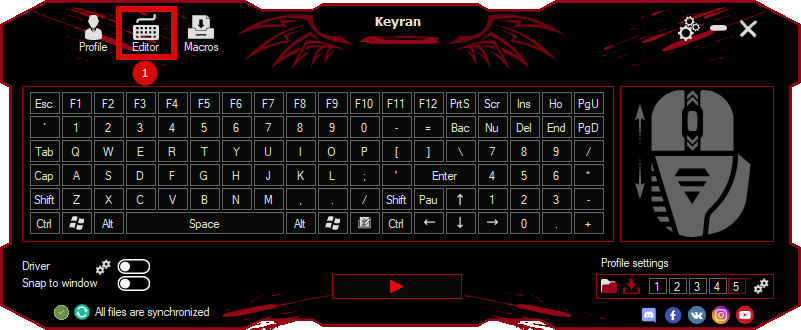
press the button «Open file»
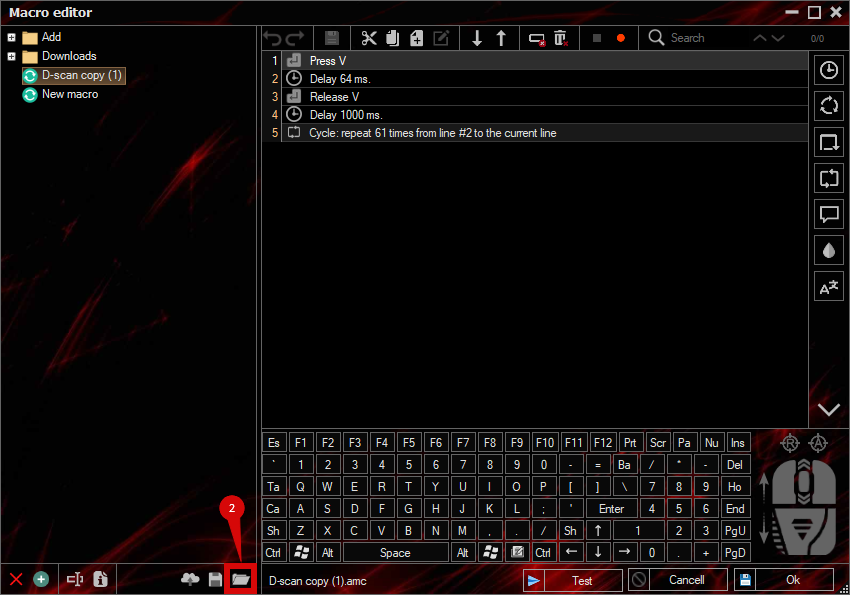
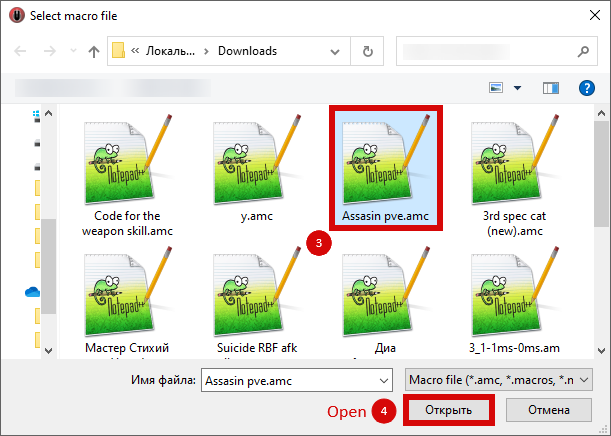
and select the downloaded file
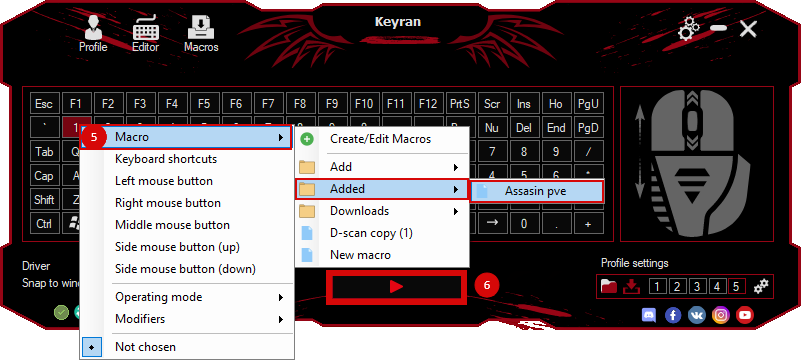
assign a macro to a key and run the program
 Video reviews
 Window work
 Create hotkeys
 Macro editor
 A4tech Macro Editor
 Script editor
 Ready macros and scripts
 Profile
 Sync log
 Program settings
 FAQ
 Apex Legends
 ArcheAge
 Blade and Soul
 Dota 2
 Fortnite
 GTA V
 Minecraft
 Overwatch
 Perfect World
 Rust
 Warface
 News
 Instructions
 Events and competitions
 Technical support